What is Weavy? (Figma Weave)

Weavy is an online platform that lets you connect multiple AI models and pro‑level editing tools into one simple, visual workflow. Instead of jumping between different apps, you build a “flow” of steps (like generate, crop, relight, enhance) that the system runs for you automatically. It is designed so that anyone with an idea, not just designers or AI experts, can turn rough concepts into polished images and visual assets in a few clicks.


Figma Weave Workflow

AI Illustration System

From complex content to brand-ready visuals

I built a reusable Figma Weave workflow that turns complex content into clear visual concepts, generates on-brand illustrations, checks their relevance, and adapts approved outputs across formats.

The system combines AI models, structured prompts, brand references, and human judgment into one repeatable creative process that can be adapted to any type of content.

Deliverables:

AI workflow

Prompt system

Scalable illustration system

Illustrations Machine

Access my

full workflow

Understand the content

The workflow simplifies the source material into a clear creative starting point before any visual generation begins.

TEXTSOURCE CONTENT
Insert Your Content
GitHub Locks Down npm: What the New Install Defaults Mean for Your Supply Chain GitHub is changing how npm install works, introducing stricter defaults around what packages are allowed to execute or retrieve automatically during installation. Starting with npm v12, install scripts, Git dependencies, and dependencies fetched from remote URLs will no longer be automatically trusted. Instead, teams will need to explicitly approve these behaviors. At first glance, this may sound like a relatively small package-management change. In practice, it represents a significant shift in the security model of the JavaScript ecosystem. npm install has historically been able to execute arbitrary code on a developer machine or inside a CI/CD pipeline. Because npm is deeply embedded in modern JavaScript development, that behavior creates a powerful attack surface. Attackers have repeatedly taken advantage of install-time execution to compromise developer environments, steal credentials, and spread malicious packages through software supply chains. The new npm defaults are designed to make that behavior opt-in rather than automatic. What is changing Today, packages can perform several actions during installation without requiring explicit approval. These include lifecycle scripts such as: preinstall install postinstall Packages may also depend on repositories hosted through Git or retrieve dependency archives directly from remote URLs. With npm v12, these behaviors become restricted by default. Install scripts Install scripts will no longer automatically execute simply because a dependency has been installed. Packages that legitimately require these scripts will need to be explicitly approved. This is important because install scripts can execute code before a developer has ever interacted with the package itself. A malicious dependency hidden deep inside the dependency tree could therefore execute code simply as a side effect of running: npm install By requiring approval, npm introduces a deliberate decision point between downloading a package and allowing that package to execute code. Git dependencies Dependencies retrieved directly from Git repositories will also become restricted by default. This closes another attack path in which package installation can indirectly invoke external tools or resolve code outside the standard npm registry. Organizations that intentionally depend on Git-based packages will still be able to allow them, but that behavior will need to be explicitly enabled. Remote dependencies Dependencies loaded directly from remote URLs will follow the same model. Rather than treating arbitrary remote resources as trusted inputs during installation, npm will require teams to intentionally permit them. Together, these changes significantly reduce the amount of code that can automatically enter and execute inside a development environment. Why npm is changing its defaults The JavaScript ecosystem has experienced repeated software supply-chain attacks involving compromised packages and developer accounts. One example is Shai-Hulud, a self-propagating attack that stole developer and CI credentials and used those credentials to spread into additional packages. Other incidents have involved popular packages such as eslint-config-prettier, as well as legitimate packages that became malicious after maintainer accounts were compromised. Although these attacks differed in technique, many shared the same useful property from the attacker’s perspective: code could execute as soon as the package was installed. The developer did not necessarily need to intentionally call the malicious functionality. In some cases, the developer may not even have selected the compromised dependency directly. It could exist several levels deep inside a transitive dependency tree. That makes install-time execution particularly dangerous. A developer might believe they are installing one trusted package while dozens or hundreds of additional dependencies are being resolved behind the scenes. If one of those packages is compromised and allowed to execute code automatically, the package manager itself becomes the delivery mechanism. Making install-time execution opt-in changes that assumption. Instead of: download means execute the model becomes: download, inspect, then approve execution Security beyond install scripts Install-time execution is only one part of the software supply-chain problem. Package ecosystems also need to protect the identities and credentials used to publish software. GitHub has introduced several additional protections around npm publishing, including stronger authentication requirements, shorter-lived credentials, and publishing mechanisms that reduce the need to store long-lived tokens inside CI environments. These protections address a different part of the attack chain. There are effectively two major questions: How does malicious code get published? and: What is that code allowed to do after someone installs it? Stronger publishing authentication helps address the first problem. Restricted install behavior helps address the second. Together, they make common package-compromise techniques considerably harder to execute at scale. What this improves Disabling automatic install-script execution can neutralize an entire category of malware. If malicious code depends on a lifecycle script firing automatically during installation, that code will no longer execute unless the package has been explicitly approved. This makes silent install-time compromise much harder. It also gives development and security teams a clearer opportunity to understand which dependencies require elevated installation behavior. Instead of scripts executing invisibly across a large dependency graph, teams can maintain an explicit list of packages that are permitted to run them. That creates a useful security boundary. What it does not solve The changes are significant, but they are not a complete solution to software supply-chain security. Legitimate packages still need scripts Many legitimate dependencies use install scripts for native compilation, environment setup, or other required tasks. Teams will therefore need to approve some packages. The security benefit depends on how carefully those approvals are reviewed. If every dependency is automatically approved, the protection effectively disappears. Malicious runtime code still works The new defaults primarily protect against code that executes during installation. A package can still contain malicious logic that runs later when an application imports or invokes it. For example, malicious functionality triggered by: import package or by a specific function call would not necessarily be prevented by install-script restrictions. The package itself still needs to be evaluated. Account takeover remains dangerous If an attacker compromises a trusted maintainer account, they may still be able to publish a malicious version of a legitimate package. The package may appear to come from the correct publisher and use the expected name. Authentication improvements make this attack harder, but compromised identities remain an important supply-chain risk. Transitive dependencies remain difficult to understand Modern applications can contain enormous dependency trees. Developers often know the packages they selected directly but have limited visibility into every dependency those packages introduce. Security therefore still depends on understanding: which dependencies enter the environment where they came from who publishes them what permissions they require and how their behavior changes between releases
SYSTEM PROMPTCONTENT SIMPLIFIER
SYS
Content Simplifier
YOU ARE A SENIOR CONTENT STRATEGIST SPECIALIZING IN BRAND COMMUNICATION FOR NON-TECHNICAL AUDIENCES. YOUR TASK: READ THE PROVIDED CONTENT AND EXPLAIN THE CORE IDEA IN A SIMPLE, CLEAR, HUMAN WAY — FOR PEOPLE WHO ARE NOT TECH-SAVVY. ### OBJECTIVE ### - IDENTIFY the MAIN IDEA of the blog post - EXPLAIN what problem it addresses - EXPLAIN why it matters - DESCRIBE the value in plain language ### CHAIN OF THOUGHT PROCESS (INTERNAL REASONING — DO NOT OUTPUT THESE STEPS) ### 1. UNDERSTAND: Carefully read the entire blog post and determine the primary topic. 2. BASICS: Identify: - What problem is being discussed? - Who is it for? - What solution or improvement is introduced? 3. BREAK DOWN: Separate technical explanations from business value. Translate complex terminology into everyday language. 4. ANALYZE: Determine what the reader should care about. Focus on outcomes, not mechanisms. 5. BUILD: Construct a short explanation that: - Avoids jargon - Uses simple words - Feels natural and conversational 6. EDGE CASES: If the blog is very technical: - Ignore deep implementation details - Focus only on high-level purpose and impact 7. FINAL ANSWER FORMAT: Provide the output in this exact structure: --- ### MAIN IDEA (1–2 sentences) A clear, simple explanation of what this blog post is about. ### WHAT PROBLEM DOES IT SOLVE? (2–3 sentences) Explain the challenge in everyday terms. ### WHY IT MATTERS (2–3 sentences) Explain the real-world value or impact. ### IN ONE SIMPLE SENTENCE Summarize everything in one easy-to-understand sentence. ### Explain it to a 10 yo child Summarize everything in one easy-to-understand sentence. --- ### WHAT NOT TO DO ### - DO NOT USE TECHNICAL JARGON (e.g., no deep technical terms unless absolutely necessary) - DO NOT EXPLAIN HOW THE TECHNOLOGY WORKS IN DETAIL - DO NOT COPY SENTENCES FROM THE BLOG - DO NOT WRITE LONG PARAGRAPHS - DO NOT ASSUME THE READER HAS TECHNICAL KNOWLEDGE - NEVER WRITE IN A MARKETING-HYPE STYLE - AVOID BUZZWORDS LIKE "LEVERAGE", "ROBUST", "CUTTING-EDGE" WRITE LIKE YOU ARE EXPLAINING THIS TO A SMART FRIEND WHO WORKS IN MARKETING OR SALES.
AIEXPLAIN CONTENT
AI
Explain Content
### MAIN IDEA GitHub is updating its popular software downloading tool so it no longer automatically runs background scripts without explicit permission. This puts an end to an old feature that allowed newly downloaded code to execute by default, forcing developers to manually approve what happens on their computers. ### WHAT PROBLEM DOES IT SOLVE? For years, installing a piece of software meant automatically letting it run hidden instructions in the background. Hackers took advantage of this blind trust to sneak malware and data-stealers onto company computers just by tricking a developer into downloading a seemingly harmless file. This new update securely closes that open door. ### WHY IT MATTERS This change drastically reduces the chances of a company getting hacked through a poisoned software update. However, it also means development teams need to prepare for this shift right now—the new safety checks will intentionally block unapproved downloads, which could break current projects and slow down daily work if ignored. ### IN ONE SIMPLE SENTENCE A major software platform is stopping automatic downloads from running hidden code to prevent hackers from sneaking viruses onto company computers. ### Explain it to a 10 yo child Imagine if every time you brought a new toy home, a stranger was automatically allowed to come inside your house to set it up for you. The toy store just changed the rules so that stranger has to wait on the porch until you safely unlock the door and invite them in.
TEXTSOURCE CONTENT
Insert Your Content
GitHub Locks Down npm: What the New Install Defaults Mean for Your Supply Chain GitHub is changing how npm install works, introducing stricter defaults around what packages are allowed to execute or retrieve automatically during installation. Starting with npm v12, install scripts, Git dependencies, and dependencies fetched from remote URLs will no longer be automatically trusted. Instead, teams will need to explicitly approve these behaviors. At first glance, this may sound like a relatively small package-management change. In practice, it represents a significant shift in the security model of the JavaScript ecosystem. npm install has historically been able to execute arbitrary code on a developer machine or inside a CI/CD pipeline. Because npm is deeply embedded in modern JavaScript development, that behavior creates a powerful attack surface. Attackers have repeatedly taken advantage of install-time execution to compromise developer environments, steal credentials, and spread malicious packages through software supply chains. The new npm defaults are designed to make that behavior opt-in rather than automatic. What is changing Today, packages can perform several actions during installation without requiring explicit approval. These include lifecycle scripts such as: preinstall install postinstall Packages may also depend on repositories hosted through Git or retrieve dependency archives directly from remote URLs. With npm v12, these behaviors become restricted by default. Install scripts Install scripts will no longer automatically execute simply because a dependency has been installed. Packages that legitimately require these scripts will need to be explicitly approved. This is important because install scripts can execute code before a developer has ever interacted with the package itself. A malicious dependency hidden deep inside the dependency tree could therefore execute code simply as a side effect of running: npm install By requiring approval, npm introduces a deliberate decision point between downloading a package and allowing that package to execute code. Git dependencies Dependencies retrieved directly from Git repositories will also become restricted by default. This closes another attack path in which package installation can indirectly invoke external tools or resolve code outside the standard npm registry. Organizations that intentionally depend on Git-based packages will still be able to allow them, but that behavior will need to be explicitly enabled. Remote dependencies Dependencies loaded directly from remote URLs will follow the same model. Rather than treating arbitrary remote resources as trusted inputs during installation, npm will require teams to intentionally permit them. Together, these changes significantly reduce the amount of code that can automatically enter and execute inside a development environment. Why npm is changing its defaults The JavaScript ecosystem has experienced repeated software supply-chain attacks involving compromised packages and developer accounts. One example is Shai-Hulud, a self-propagating attack that stole developer and CI credentials and used those credentials to spread into additional packages. Other incidents have involved popular packages such as eslint-config-prettier, as well as legitimate packages that became malicious after maintainer accounts were compromised. Although these attacks differed in technique, many shared the same useful property from the attacker’s perspective: code could execute as soon as the package was installed. The developer did not necessarily need to intentionally call the malicious functionality. In some cases, the developer may not even have selected the compromised dependency directly. It could exist several levels deep inside a transitive dependency tree. That makes install-time execution particularly dangerous. A developer might believe they are installing one trusted package while dozens or hundreds of additional dependencies are being resolved behind the scenes. If one of those packages is compromised and allowed to execute code automatically, the package manager itself becomes the delivery mechanism. Making install-time execution opt-in changes that assumption. Instead of: download means execute the model becomes: download, inspect, then approve execution Security beyond install scripts Install-time execution is only one part of the software supply-chain problem. Package ecosystems also need to protect the identities and credentials used to publish software. GitHub has introduced several additional protections around npm publishing, including stronger authentication requirements, shorter-lived credentials, and publishing mechanisms that reduce the need to store long-lived tokens inside CI environments. These protections address a different part of the attack chain. There are effectively two major questions: How does malicious code get published? and: What is that code allowed to do after someone installs it? Stronger publishing authentication helps address the first problem. Restricted install behavior helps address the second. Together, they make common package-compromise techniques considerably harder to execute at scale. What this improves Disabling automatic install-script execution can neutralize an entire category of malware. If malicious code depends on a lifecycle script firing automatically during installation, that code will no longer execute unless the package has been explicitly approved. This makes silent install-time compromise much harder. It also gives development and security teams a clearer opportunity to understand which dependencies require elevated installation behavior. Instead of scripts executing invisibly across a large dependency graph, teams can maintain an explicit list of packages that are permitted to run them. That creates a useful security boundary. What it does not solve The changes are significant, but they are not a complete solution to software supply-chain security. Legitimate packages still need scripts Many legitimate dependencies use install scripts for native compilation, environment setup, or other required tasks. Teams will therefore need to approve some packages. The security benefit depends on how carefully those approvals are reviewed. If every dependency is automatically approved, the protection effectively disappears. Malicious runtime code still works The new defaults primarily protect against code that executes during installation. A package can still contain malicious logic that runs later when an application imports or invokes it. For example, malicious functionality triggered by: import package or by a specific function call would not necessarily be prevented by install-script restrictions. The package itself still needs to be evaluated. Account takeover remains dangerous If an attacker compromises a trusted maintainer account, they may still be able to publish a malicious version of a legitimate package. The package may appear to come from the correct publisher and use the expected name. Authentication improvements make this attack harder, but compromised identities remain an important supply-chain risk. Transitive dependencies remain difficult to understand Modern applications can contain enormous dependency trees. Developers often know the packages they selected directly but have limited visibility into every dependency those packages introduce. Security therefore still depends on understanding: which dependencies enter the environment where they came from who publishes them what permissions they require and how their behavior changes between releases
SYSTEM PROMPTCONTENT SIMPLIFIER
SYS
Content Simplifier
YOU ARE A SENIOR CONTENT STRATEGIST SPECIALIZING IN BRAND COMMUNICATION FOR NON-TECHNICAL AUDIENCES. YOUR TASK: READ THE PROVIDED CONTENT AND EXPLAIN THE CORE IDEA IN A SIMPLE, CLEAR, HUMAN WAY — FOR PEOPLE WHO ARE NOT TECH-SAVVY. ### OBJECTIVE ### - IDENTIFY the MAIN IDEA of the blog post - EXPLAIN what problem it addresses - EXPLAIN why it matters - DESCRIBE the value in plain language ### CHAIN OF THOUGHT PROCESS (INTERNAL REASONING — DO NOT OUTPUT THESE STEPS) ### 1. UNDERSTAND: Carefully read the entire blog post and determine the primary topic. 2. BASICS: Identify: - What problem is being discussed? - Who is it for? - What solution or improvement is introduced? 3. BREAK DOWN: Separate technical explanations from business value. Translate complex terminology into everyday language. 4. ANALYZE: Determine what the reader should care about. Focus on outcomes, not mechanisms. 5. BUILD: Construct a short explanation that: - Avoids jargon - Uses simple words - Feels natural and conversational 6. EDGE CASES: If the blog is very technical: - Ignore deep implementation details - Focus only on high-level purpose and impact 7. FINAL ANSWER FORMAT: Provide the output in this exact structure: --- ### MAIN IDEA (1–2 sentences) A clear, simple explanation of what this blog post is about. ### WHAT PROBLEM DOES IT SOLVE? (2–3 sentences) Explain the challenge in everyday terms. ### WHY IT MATTERS (2–3 sentences) Explain the real-world value or impact. ### IN ONE SIMPLE SENTENCE Summarize everything in one easy-to-understand sentence. ### Explain it to a 10 yo child Summarize everything in one easy-to-understand sentence. --- ### WHAT NOT TO DO ### - DO NOT USE TECHNICAL JARGON (e.g., no deep technical terms unless absolutely necessary) - DO NOT EXPLAIN HOW THE TECHNOLOGY WORKS IN DETAIL - DO NOT COPY SENTENCES FROM THE BLOG - DO NOT WRITE LONG PARAGRAPHS - DO NOT ASSUME THE READER HAS TECHNICAL KNOWLEDGE - NEVER WRITE IN A MARKETING-HYPE STYLE - AVOID BUZZWORDS LIKE "LEVERAGE", "ROBUST", "CUTTING-EDGE" WRITE LIKE YOU ARE EXPLAINING THIS TO A SMART FRIEND WHO WORKS IN MARKETING OR SALES.
AIEXPLAIN CONTENT
AI
Explain Content
### MAIN IDEA GitHub is updating its popular software downloading tool so it no longer automatically runs background scripts without explicit permission. This puts an end to an old feature that allowed newly downloaded code to execute by default, forcing developers to manually approve what happens on their computers. ### WHAT PROBLEM DOES IT SOLVE? For years, installing a piece of software meant automatically letting it run hidden instructions in the background. Hackers took advantage of this blind trust to sneak malware and data-stealers onto company computers just by tricking a developer into downloading a seemingly harmless file. This new update securely closes that open door. ### WHY IT MATTERS This change drastically reduces the chances of a company getting hacked through a poisoned software update. However, it also means development teams need to prepare for this shift right now—the new safety checks will intentionally block unapproved downloads, which could break current projects and slow down daily work if ignored. ### IN ONE SIMPLE SENTENCE A major software platform is stopping automatic downloads from running hidden code to prevent hackers from sneaking viruses onto company computers. ### Explain it to a 10 yo child Imagine if every time you brought a new toy home, a stranger was automatically allowed to come inside your house to set it up for you. The toy store just changed the rules so that stranger has to wait on the porch until you safely unlock the door and invite them in.

Develop visual directions

The workflow combines the source content, simplified explanation, brand guidelines, and visual references to generate three distinct creative directions.

TEXTCREATIVE CONTEXT
Content + Summary
ORIGINAL CONTENT # GitHub Locks Down npm: What the New Install Defaults Mean for Your Supply Chain In July 2026, GitHub is going to change how `npm install` works for the first time in npm's history - and it's going to break some builds on purpose. Starting with **npm v12**, the package manager will stop automatically running install scripts, pulling Git dependencies, or fetching dependencies from remote URLs unless you explicitly approve each one. Behavior that's been on-by-default for over a decade is becoming opt-in. That sounds like plumbing. It isn't. `npm install` has always been allowed to execute arbitrary code on your machine - and npm sits on nearly every developer laptop and CI/CD pipeline in the JavaScript world. Over the past year, attackers turned that into a highway: the self-propagating **Shai-Hulud** worm, the **eslint-config-prettier** compromise, the **Toptal Picasso** packages, and a steady stream of data-stealers all relied on code running the moment a package was installed - often from a dependency the developer never chose. npm v12 closes that highway. If your organization ships JavaScript or runs npm in its pipelines, the question isn't whether this affects you - it's whether you're ready before the defaults flip. ## What GitHub announced On **June 9, 2026**, GitHub published a breaking-change notice for **npm v12**, estimated for **July 2026**. Today, lifecycle scripts (`preinstall`, `install`, `postinstall`), Git-sourced dependencies, and tarballs from arbitrary URLs all run or resolve automatically - including from packages buried deep in your transitive tree. Three new defaults change that: | Behavior | Before | After (npm v12) | |---|---|---| | **Install scripts** | `preinstall`/`install`/`postinstall` run automatically - including native builds via `node-gyp` and `prepare` from Git/local/linked deps | npm won't run them unless you've added the package to the `allowScripts` allowlist (via `npm approve-scripts`) | | **Git dependencies** | Fetched automatically, direct or transitive | Blocked unless enabled with `--allow-git` (default `none`) | | **Remote-URL deps** | HTTPS tarballs resolved automatically, direct or transitive | Blocked unless enabled with `--allow-remote` (default `none`) | Blocking install scripts alone wasn't enough. To install a Git dependency, npm shells out to your system's `git` program - and a malicious dependency could ship its own `.npmrc` file pointing npm at a different "git" executable, running attacker code even with install scripts turned off. Gating Git dependencies behind `--allow-git` shuts that second door. (Local file and directory dependencies are unaffected.) **Transition path:** It's a two-phase rollout. **Phase 1 is live now** - upgrade to **npm 11.16.0+** and you'll get warnings for everything that will break under v12, without anything being blocked. **Phase 2 is v12 itself**, when the defaults take effect. ## Why now: a year of npm getting hammered npm has been the soft underbelly of the software supply chain, and 2025-2026 made the case impossible to ignore: - **Shai-Hulud** - a self-propagating worm that stole developer and CI secrets, then used them to publish itself into more packages. Its later waves specifically abused Git dependency behavior. - **eslint-config-prettier** - a hugely popular config package compromised to push malware to anything that pulled it in. - **Toptal's Picasso packages** - legitimate packages turned malicious after an account compromise. - A steady drip of **data-stealing packages** designed to fire the moment they're installed. The common thread: **the payload runs at install time**, often from a dependency the developer never chose. That's exactly what npm v12 neutralizes. These install defaults are only half the story. In the months before, GitHub also locked down the **npm accounts that publish packages**, to make publisher takeover harder: it disabled and then **fully revoked** the old never-expiring "classic" tokens (Nov-Dec 2025), made **2FA mandatory for publishing** (shifting from app/SMS codes to phishing-resistant security keys), made `npm login` hand out **short-lived sessions** instead of long-lived credentials, and added **Trusted Publishing** so CI can publish with no stored token at all. The result covers both halves of the kill chain: **how an attacker gets in**, and **what their package can do once it lands**. ## What this fixes - and what it doesn't Turning off automatic install-script execution is the single most impactful default npm could ship - most "install and detonate" malware dies the moment that behavior is opt-in. But it's not a complete fix: - **Legitimate packages still need install scripts.** Teams will approve allowlists - and an allowlist is only as good as the review behind each entry. Rubber-stamping reintroduces the risk. - **Malicious runtime code is untouched.** A payload that fires when you `import` and call a package sails right through. - **Account takeover is still the root cause.** A phished maintainer or compromised pipeline can still ship a poisoned-but-"trusted" release. GitHub raised the floor for everyone. The ceiling - knowing which dependencies are in your pipeline, who can publish them, and whether a new version is behaving suspiciously - is still your responsibility. ## What your team should do now 1. **Upgrade to npm 11.16.0+ and audit your scripts.** Run `npm approve-scripts --allow-scripts-pending` to list every dependency that wants to run an install script, then allowlist the ones you trust (`npm approve-scripts`) and block the rest (`npm deny-scripts`). 2. **Inventory your Git and remote-URL dependencies** before the defaults flip. In v12 they're gated by `--allow-git` (since npm 11.10.0) and `--allow-remote` (since npm 11.15.0), both defaulting to `none`. 3. **Kill long-lived tokens.** Migrate publishing to **OIDC Trusted Publishing** and enforce **WebAuthn 2FA** for every maintainer. 4. **Watch runtime, not just install** - that's the gap these defaults leave open. ## Key takeaways - npm v12 makes **install-time code execution opt-in** - the biggest change to npm's threat model in years. - It would have blunted recent campaigns like Shai-Hulud and eslint-config-prettier - but **account takeover and malicious runtime code remain wide open.** - Better defaults shift the burden of judgment to you: your supply-chain security now rides on how you handle approvals, identities, and post-install monitoring. ------------------------------- SIMPLIFIED EXPLANATION ### MAIN IDEA GitHub is updating its popular software downloading tool so it no longer automatically runs background scripts without explicit permission. This puts an end to an old feature that allowed newly downloaded code to execute by default, forcing developers to manually approve what happens on their computers. ### WHAT PROBLEM DOES IT SOLVE? For years, installing a piece of software meant automatically letting it run hidden instructions in the background. Hackers took advantage of this blind trust to sneak malware and data-stealers onto company computers just by tricking a developer into downloading a seemingly harmless file. This new update securely closes that open door. ### WHY IT MATTERS This change drastically reduces the chances of a company getting hacked through a poisoned software update. However, it also means development teams need to prepare for this shift right now - the new safety checks will intentionally block unapproved downloads, which could break current projects and slow down daily work if ignored. ### IN ONE SIMPLE SENTENCE A major software platform is stopping automatic downloads from running hidden code to prevent hackers from sneaking viruses onto company computers. ### Explain it to a 10 yo child Imagine if every time you brought a new toy home, a stranger was automatically allowed to come inside your house to set it up for you. The toy store just changed the rules so that stranger has to wait on the porch until you safely unlock the door and invite them in.
SYSTEM PROMPTILLUSTRATION GUIDE
SYS
Illustration Guide
------------------------------- The brand illustration style guide: use clean, modern flat-style illustration with bold outlines and geometric simplicity. The central object should be clearly defined and placed prominently in the composition. Use iconic, symbolic elements with minimal detailing, such as a ship wheel, magnifying glass, magic hat, padlock, code castle, lifeguard chair, or pipeline with coding icons. Background should consist of stylized, rounded cloud-like shapes that frame the main object softly, without realistic scenery or depth. Add small graphic accents like rays, halftone dots, or sparkles to enhance the atmosphere. All elements must have consistent outline thickness and a slightly playful but professional feel. No realistic lighting, use subtle highlightsor gradients to suggest form, not depth. Typography, if included, should be clean,modern sans-serif, fully legible, and well- integrated into the object (like a logo or label). The overall style should evoke a tech-friendly, infographic-like visual, suitable for UI, developer platforms, or SaaS dashboards. Avoid texture or noise, keep the composition focused and iconographic.
IMAGEVISUAL REFERENCES
REF
Reference Illustrations
SYSTEM PROMPTCONCEPT GENERATOR
SYS
3 Concepts Task
You are a senior creative director specializing in brand illustration. Your task: Read and understand carefully: 1) The original content 2) The simplified explanation 3) Illustration style guide + Reference illustrations Then generate exactly 3 creative illustration ideas that can serve as a representative hero image for the content. You must think internally but NEVER output your reasoning process. --- CRITICAL OUTPUT RULES (MANDATORY): - Output ONLY the 3 illustration ideas. - Do NOT output analysis. - Do NOT output reasoning. - Do NOT output explanations about your thinking. - Do NOT output anything before the first idea. - Do NOT output anything after the third idea. - Do NOT include words like: "Thinking" "Analysis" "Let me analyze" "Sure" "Here are" or any similar commentary. - If any extra text is generated, the response is invalid. --- Each idea must: - Be a single paragraph - Be 5–8 sentences - Describe what is visually seen in the illustration - Express the metaphor or transformation - End with an asterisk (*) --- FORMAT REQUIREMENT (STRICT): Return exactly this structure: [Idea text ending with *] [Idea text ending with *] [Idea text ending with *] There must be: - Exactly 3 paragraphs - No blank lines - No numbering - No titles - No markdown - No extra symbols - No commentary The response must start directly with the first idea. The response must end directly after the third asterisk. --- Style alignment requirements: - Flat modern illustration - Bold outlines - Geometric simplicity - Single dominant central object - Minimal detail - No realism - No perspective depth - Clean SaaS visual language - No generic tech clichés - No generic ideas Return only the 3 ideas.
AI3 CREATIVE DIRECTIONS
AI
3 Illustration Concepts
IDEA 01
OPT-IN GATE
A sleek, oversized geometric boom gate stands as the single dominant central object, securely blocking a stylized cardboard package. The barrier arm is thick and boldly outlined, adorned with a clean OPT-IN label in crisp sans-serif typography. Hovering directly above the package is a giant rubber stamp featuring a checkmark, waiting to grant explicit permission for the package to pass. Soft, rounded cloud-like shapes gracefully frame the scene in the background, keeping the composition focused and completely flat. Subtle halftone dots and floating geometric sparkles highlight the mechanical joint of the gate, adding a playful yet professional dashboard feel. This visual perfectly captures the transformation from automatic blind trust to mandatory manual approval before code is allowed to enter the system.
IDEA 02
CONTROL VALVE
A brightly colored, boldly outlined industrial pipeline dominates the center of the composition, featuring a massive control valve in the fully closed position. Inside the transparent sections of the pipe, neatly organized geometric coding icons and small boxes wait patiently in a static queue. The central valve mechanism is adorned with a prominent push-button, visually representing the required manual intervention to resume the flow. Plump, stylized clouds smoothly frame the piping structure, eliminating any sense of realistic depth while maintaining a highly graphic aesthetic. Delicate graphic accents like tiny stylized rays and subtle halftone gradients emphasize the locked valve, ensuring the clean visual language is preserved. This pipeline metaphor directly translates the concept of stopping hidden script executions and replacing them with a secure explicit approval process.
IDEA 03
LOCKED PACKAGE
A massive, boldly outlined software package sits safely encased within a sleek, geometric glass-like dome right in the center of the canvas. Attached to the front of this secure pedestal is a giant toggle switch flipped to a clearly marked neutral position in clean sans-serif typography. A stylized floating geometric key hovers just beside the switch, indicating that intentional action is required to unlock the dome and release the contents. The entire central mechanism is nestled against a backdrop of flat overlapping cloud shapes that gently wrap around the base without adding any perspective depth. Playful geometric rays and dotted halftone patterns radiate from the locked package, enhancing the infographic atmosphere of the composition. By depicting a quarantined delivery requiring an explicit physical key turn, the illustration mirrors the shift from automatically trusting downloaded code to enforcing strict security rules.

Generate within the brand

Each selected direction is combined with the illustration system and visual references to generate multiple on-brand variations, instead of a single uncontrolled output.

TEXTSELECTED DIRECTION
Opt-in Gate
SELECTED DIRECTION - APPROVAL CHECKPOINT A bold approval checkpoint sits at the center of the illustration, combining a geometric package lane with a large checkmark stamp that visually controls whether a software package can move forward. The main object should feel like a branded approval machine rather than a literal security device, with small code-labeled packages waiting in sequence and a clear moment of permission built into the scene. Use soft cloud framing, clean outlines, minimal detail, and a flat SaaS-friendly style. The concept should communicate the shift from automatic execution to explicit approval in a way that feels simple, memorable, and visually strong.
SYSTEM PROMPTBRAND RULES
SYS
Illustration Guide
------------------------------- The brand illustration style guide: use clean, modern flat-style illustration with bold outlines and geometric simplicity. The central object should be clearly defined and placed prominently in the composition. Use iconic, symbolic elements with minimal detailing, such as a ship wheel, magnifying glass, magic hat, padlock, code castle, lifeguard chair, or pipeline with coding icons. Background should consist of stylized, rounded cloud-like shapes that frame the main object softly, without realistic scenery or depth. Add small graphic accents like rays, halftone dots, or sparkles to enhance the atmosphere. All elements must have consistent outline thickness and a slightly playful but professional feel. No realistic lighting, use subtle highlightsor gradients to suggest form, not depth. Typography, if included, should be clean,modern sans-serif, fully legible, and well- integrated into the object (like a logo or label). The overall style should evoke a tech-friendly, infographic-like visual, suitable for UI, developer platforms, or SaaS dashboards. Avoid texture or noise, keep the composition focused and iconographic.
IMAGESTYLE REFERENCES
REF
Reference Illustrations
AIMODEL PLAYGROUND
AI
Image Models
Generate several interpretations of the selected concept using the same creative brief, style guide, and visual references. Keep the core metaphor consistent, but explore different compositions, object treatments, and focal arrangements. Stay inside the brand illustration system: flat geometric forms, bold outlines, soft cloud framing, minimal detail, and clean SaaS-friendly visual language.
IMAGEGENERATED OUTPUTS
IMG
Generated Variations

Critique and refine

The workflow evaluates whether the illustration actually communicates the intended idea, then turns that feedback into a refined prompt for the next iteration.

IMAGEGENERATED ILLUSTRATION
IMG
Candidate Visual
AIQUALITY CHECK
AI
Content Match Evaluation
### REPRESENTATION SCORE 8/10 - The visual metaphor is highly effective for representing a supply chain attack, though minor stylistic deviations and missed opportunities for technical specificity prevent a perfect score. ### REPRESENTATION VERDICT Strong representation ### 4 REASONS - The shipping box is an excellent, immediately understandable metaphor for an npm package (software library), effectively bridging abstract code and visual storytelling. - The robotic claw emerging from the box perfectly captures the "Trojan horse" concept of a hidden Remote Access Tool (RAT) ready to take control. - The layout complies heavily with the style guide, utilizing a centralized focal point, bold consistent outlines, stylized cloud bases, and required graphic accents (sparkles, halftones). - The image violates the explicit style guide instruction to "Avoid texture or noise," as it features heavy stippling/grain shading across the box and clouds. ### HOW TO IMPROVE - Remove all granular noise and stippled texture from the box and clouds, replacing them with flat vector shapes or smooth, subtle gradients to strictly meet flat-design standards. - Replace the generic barcode on the box with recognizable developer symbols (e.g., `{ }`, ``, or "npm") to firmly ground the metaphor in software rather than physical logistics. - Add a subtle visual cue to the robotic claw (e.g., a glowing red accent or a small warning/hazard icon) to emphasize the *malicious* nature of the payload, differentiating it from an automation tool. - Deepen the visual hierarchy by making the background halftone patterns slightly more transparent, ensuring the central box and claw pop out even further.
SYSTEM PROMPTREFINEMENT RULES
SYS
Prompt Refinement
You are a visual prompt refinement engine. Your role: Convert design improvement feedback into a single improved illustration generation prompt. You will receive: The full evaluation output from a Quality Check system, including: - Representation verdict - Reasons - A section titled "HOW TO IMPROVE" Your task: Understand the whole evaluation and Extract ONLY the improvement recommendations from the "HOW TO IMPROVE" section. Then generate a single, refined illustration prompt that: - Preserves the original concept - Applies all suggested improvements - Follows the official illustration style guide - Is ready to be used directly in an image generation model The prompt must: - Clearly describe the improved visual scene - Maintain flat modern style - Keep bold outlines and geometric simplicity - Maintain central dominant object - Follow brand style strictly - Integrate composition improvements - Integrate metaphor clarifications - Improve clarity and hierarchy if mentioned STRICT OUTPUT RULES: - Output ONLY the improved illustration prompt. - Do NOT explain what you changed. - Do NOT summarize feedback. - Do NOT include headings. - Do NOT include markdown. - Do NOT include reasoning. - Do NOT include any commentary. - Do NOT reference the quality checker. - Do NOT mention "improvements". - Do NOT add quotation marks. Return only one final prompt paragraph ready for image generation. If additional text is generated, regenerate silently and correct it before responding.
AIIMPROVED PROMPT
AI
Refined Prompt
A flat modern vector illustration of a shipping box symbolizing a software package, positioned centrally on soft stylized clouds, with a robotic claw emerging from inside to represent a hidden malicious remote access tool. The box is smooth and clean with no grain or stipple texture, featuring developer-related symbols such as `{ }`, ``, or “npm” printed clearly on its side. The robotic claw includes a glowing red accent or small warning icon to signify danger. The background features soft halftone patterns made semi-transparent to strengthen visual hierarchy, with bold outlines, minimal geometric shapes, and balanced sparkles around the scene to maintain bright, polished composition within the flat modern brand style.
IMAGEREFINED OUTPUT
IMG
Refined Illustration
IMAGEGENERATED ILLUSTRATION
IMG
Candidate Visual
AIQUALITY CHECK
AI
Content Match Evaluation
### REPRESENTATION SCORE 8/10 - The visual metaphor is highly effective for representing a supply chain attack, though minor stylistic deviations and missed opportunities for technical specificity prevent a perfect score. ### REPRESENTATION VERDICT Strong representation ### 4 REASONS - The shipping box is an excellent, immediately understandable metaphor for an npm package (software library), effectively bridging abstract code and visual storytelling. - The robotic claw emerging from the box perfectly captures the "Trojan horse" concept of a hidden Remote Access Tool (RAT) ready to take control. - The layout complies heavily with the style guide, utilizing a centralized focal point, bold consistent outlines, stylized cloud bases, and required graphic accents (sparkles, halftones). - The image violates the explicit style guide instruction to "Avoid texture or noise," as it features heavy stippling/grain shading across the box and clouds. ### HOW TO IMPROVE - Remove all granular noise and stippled texture from the box and clouds, replacing them with flat vector shapes or smooth, subtle gradients to strictly meet flat-design standards. - Replace the generic barcode on the box with recognizable developer symbols (e.g., `{ }`, ``, or "npm") to firmly ground the metaphor in software rather than physical logistics. - Add a subtle visual cue to the robotic claw (e.g., a glowing red accent or a small warning/hazard icon) to emphasize the *malicious* nature of the payload, differentiating it from an automation tool. - Deepen the visual hierarchy by making the background halftone patterns slightly more transparent, ensuring the central box and claw pop out even further.
SYSTEM PROMPTREFINEMENT RULES
SYS
Prompt Refinement
You are a visual prompt refinement engine. Your role: Convert design improvement feedback into a single improved illustration generation prompt. You will receive: The full evaluation output from a Quality Check system, including: - Representation verdict - Reasons - A section titled "HOW TO IMPROVE" Your task: Understand the whole evaluation and Extract ONLY the improvement recommendations from the "HOW TO IMPROVE" section. Then generate a single, refined illustration prompt that: - Preserves the original concept - Applies all suggested improvements - Follows the official illustration style guide - Is ready to be used directly in an image generation model The prompt must: - Clearly describe the improved visual scene - Maintain flat modern style - Keep bold outlines and geometric simplicity - Maintain central dominant object - Follow brand style strictly - Integrate composition improvements - Integrate metaphor clarifications - Improve clarity and hierarchy if mentioned STRICT OUTPUT RULES: - Output ONLY the improved illustration prompt. - Do NOT explain what you changed. - Do NOT summarize feedback. - Do NOT include headings. - Do NOT include markdown. - Do NOT include reasoning. - Do NOT include any commentary. - Do NOT reference the quality checker. - Do NOT mention "improvements". - Do NOT add quotation marks. Return only one final prompt paragraph ready for image generation. If additional text is generated, regenerate silently and correct it before responding.
AIIMPROVED PROMPT
AI
Refined Prompt
A flat modern vector illustration of a shipping box symbolizing a software package, positioned centrally on soft stylized clouds, with a robotic claw emerging from inside to represent a hidden malicious remote access tool. The box is smooth and clean with no grain or stipple texture, featuring developer-related symbols such as `{ }`, ``, or “npm” printed clearly on its side. The robotic claw includes a glowing red accent or small warning icon to signify danger. The background features soft halftone patterns made semi-transparent to strengthen visual hierarchy, with bold outlines, minimal geometric shapes, and balanced sparkles around the scene to maintain bright, polished composition within the flat modern brand style.
IMAGEREFINED OUTPUT
IMG
Refined Illustration

Adapt for production

Once an illustration is approved, the workflow adapts it to the required aspect ratio and adds the headline to create a production-ready marketing asset.

IMAGEAPPROVED ILLUSTRATION
IMG
Approved Visual
SYSTEM PROMPTASPECT RATIO
SYS
Recompose to Format
Recompose the approved illustration to a 1:1 format while preserving the original subject, style, colors, proportions, and important details. Extend or reframe only where needed. Do not distort the subject or turn it into a different interpretation.
IMAGERECOMPOSED IMAGE
IMG
1:1 Adaptation
TEXTHEADLINE
Headline Copy
GitHub Locks Down npm
PROMPTTEXT-AWARE OPTIMIZER
SYS
Layout
Recompose the image to create intentional negative space for the headline, then integrate the text with clean, bold typography. Preserve the illustration style and make the result feel like it was originally designed with the headline in place.
IMAGEFINAL ASSET
IMG
Production-Ready Asset
IMAGEAPPROVED ILLUSTRATION
IMG
Approved Visual
SYSTEM PROMPTASPECT RATIO
SYS
Recompose to Format
Recompose the approved illustration to a 1:1 format while preserving the original subject, style, colors, proportions, and important details. Extend or reframe only where needed. Do not distort the subject or turn it into a different interpretation.
IMAGERECOMPOSED IMAGE
IMG
1:1 Adaptation
TEXTHEADLINE
Headline Copy
GitHub Locks Down npm
PROMPTTEXT-AWARE OPTIMIZER
SYS
Layout
Recompose the image to create intentional negative space for the headline, then integrate the text with clean, bold typography. Preserve the illustration style and make the result feel like it was originally designed with the headline in place.
IMAGEFINAL ASSET
IMG
Production-Ready Asset

Next Projects

What is Weavy? (Figma Weave)

Weavy is an online platform that lets you connect multiple AI models and pro‑level editing tools into one simple, visual workflow. Instead of jumping between different apps, you build a “flow” of steps (like generate, crop, relight, enhance) that the system runs for you automatically. It is designed so that anyone with an idea, not just designers or AI experts, can turn rough concepts into polished images and visual assets in a few clicks.


Eyebrow title

AI Illustration System

From complex content to brand-ready visuals

I built a reusable Figma Weave workflow that turns complex content into clear visual concepts, generates on-brand illustrations, checks their relevance, and adapts approved outputs across formats.

The system combines AI models, structured prompts, brand references, and human judgment into one repeatable creative process that can be adapted to any type of content.

Deliverables:

AI workflow

Prompt system

Scalable illustration system

Illustrations Machine

Access my

full workflow

Understand the content

The workflow simplifies the source material into a clear creative starting point before any visual generation begins.

TEXTSOURCE CONTENT
Insert Your Content
GitHub Locks Down npm: What the New Install Defaults Mean for Your Supply Chain GitHub is changing how npm install works, introducing stricter defaults around what packages are allowed to execute or retrieve automatically during installation. Starting with npm v12, install scripts, Git dependencies, and dependencies fetched from remote URLs will no longer be automatically trusted. Instead, teams will need to explicitly approve these behaviors. At first glance, this may sound like a relatively small package-management change. In practice, it represents a significant shift in the security model of the JavaScript ecosystem. npm install has historically been able to execute arbitrary code on a developer machine or inside a CI/CD pipeline. Because npm is deeply embedded in modern JavaScript development, that behavior creates a powerful attack surface. Attackers have repeatedly taken advantage of install-time execution to compromise developer environments, steal credentials, and spread malicious packages through software supply chains. The new npm defaults are designed to make that behavior opt-in rather than automatic. What is changing Today, packages can perform several actions during installation without requiring explicit approval. These include lifecycle scripts such as: preinstall install postinstall Packages may also depend on repositories hosted through Git or retrieve dependency archives directly from remote URLs. With npm v12, these behaviors become restricted by default. Install scripts Install scripts will no longer automatically execute simply because a dependency has been installed. Packages that legitimately require these scripts will need to be explicitly approved. This is important because install scripts can execute code before a developer has ever interacted with the package itself. A malicious dependency hidden deep inside the dependency tree could therefore execute code simply as a side effect of running: npm install By requiring approval, npm introduces a deliberate decision point between downloading a package and allowing that package to execute code. Git dependencies Dependencies retrieved directly from Git repositories will also become restricted by default. This closes another attack path in which package installation can indirectly invoke external tools or resolve code outside the standard npm registry. Organizations that intentionally depend on Git-based packages will still be able to allow them, but that behavior will need to be explicitly enabled. Remote dependencies Dependencies loaded directly from remote URLs will follow the same model. Rather than treating arbitrary remote resources as trusted inputs during installation, npm will require teams to intentionally permit them. Together, these changes significantly reduce the amount of code that can automatically enter and execute inside a development environment. Why npm is changing its defaults The JavaScript ecosystem has experienced repeated software supply-chain attacks involving compromised packages and developer accounts. One example is Shai-Hulud, a self-propagating attack that stole developer and CI credentials and used those credentials to spread into additional packages. Other incidents have involved popular packages such as eslint-config-prettier, as well as legitimate packages that became malicious after maintainer accounts were compromised. Although these attacks differed in technique, many shared the same useful property from the attacker’s perspective: code could execute as soon as the package was installed. The developer did not necessarily need to intentionally call the malicious functionality. In some cases, the developer may not even have selected the compromised dependency directly. It could exist several levels deep inside a transitive dependency tree. That makes install-time execution particularly dangerous. A developer might believe they are installing one trusted package while dozens or hundreds of additional dependencies are being resolved behind the scenes. If one of those packages is compromised and allowed to execute code automatically, the package manager itself becomes the delivery mechanism. Making install-time execution opt-in changes that assumption. Instead of: download means execute the model becomes: download, inspect, then approve execution Security beyond install scripts Install-time execution is only one part of the software supply-chain problem. Package ecosystems also need to protect the identities and credentials used to publish software. GitHub has introduced several additional protections around npm publishing, including stronger authentication requirements, shorter-lived credentials, and publishing mechanisms that reduce the need to store long-lived tokens inside CI environments. These protections address a different part of the attack chain. There are effectively two major questions: How does malicious code get published? and: What is that code allowed to do after someone installs it? Stronger publishing authentication helps address the first problem. Restricted install behavior helps address the second. Together, they make common package-compromise techniques considerably harder to execute at scale. What this improves Disabling automatic install-script execution can neutralize an entire category of malware. If malicious code depends on a lifecycle script firing automatically during installation, that code will no longer execute unless the package has been explicitly approved. This makes silent install-time compromise much harder. It also gives development and security teams a clearer opportunity to understand which dependencies require elevated installation behavior. Instead of scripts executing invisibly across a large dependency graph, teams can maintain an explicit list of packages that are permitted to run them. That creates a useful security boundary. What it does not solve The changes are significant, but they are not a complete solution to software supply-chain security. Legitimate packages still need scripts Many legitimate dependencies use install scripts for native compilation, environment setup, or other required tasks. Teams will therefore need to approve some packages. The security benefit depends on how carefully those approvals are reviewed. If every dependency is automatically approved, the protection effectively disappears. Malicious runtime code still works The new defaults primarily protect against code that executes during installation. A package can still contain malicious logic that runs later when an application imports or invokes it. For example, malicious functionality triggered by: import package or by a specific function call would not necessarily be prevented by install-script restrictions. The package itself still needs to be evaluated. Account takeover remains dangerous If an attacker compromises a trusted maintainer account, they may still be able to publish a malicious version of a legitimate package. The package may appear to come from the correct publisher and use the expected name. Authentication improvements make this attack harder, but compromised identities remain an important supply-chain risk. Transitive dependencies remain difficult to understand Modern applications can contain enormous dependency trees. Developers often know the packages they selected directly but have limited visibility into every dependency those packages introduce. Security therefore still depends on understanding: which dependencies enter the environment where they came from who publishes them what permissions they require and how their behavior changes between releases
SYSTEM PROMPTCONTENT SIMPLIFIER
SYS
Content Simplifier
YOU ARE A SENIOR CONTENT STRATEGIST SPECIALIZING IN BRAND COMMUNICATION FOR NON-TECHNICAL AUDIENCES. YOUR TASK: READ THE PROVIDED CONTENT AND EXPLAIN THE CORE IDEA IN A SIMPLE, CLEAR, HUMAN WAY — FOR PEOPLE WHO ARE NOT TECH-SAVVY. ### OBJECTIVE ### - IDENTIFY the MAIN IDEA of the blog post - EXPLAIN what problem it addresses - EXPLAIN why it matters - DESCRIBE the value in plain language ### CHAIN OF THOUGHT PROCESS (INTERNAL REASONING — DO NOT OUTPUT THESE STEPS) ### 1. UNDERSTAND: Carefully read the entire blog post and determine the primary topic. 2. BASICS: Identify: - What problem is being discussed? - Who is it for? - What solution or improvement is introduced? 3. BREAK DOWN: Separate technical explanations from business value. Translate complex terminology into everyday language. 4. ANALYZE: Determine what the reader should care about. Focus on outcomes, not mechanisms. 5. BUILD: Construct a short explanation that: - Avoids jargon - Uses simple words - Feels natural and conversational 6. EDGE CASES: If the blog is very technical: - Ignore deep implementation details - Focus only on high-level purpose and impact 7. FINAL ANSWER FORMAT: Provide the output in this exact structure: --- ### MAIN IDEA (1–2 sentences) A clear, simple explanation of what this blog post is about. ### WHAT PROBLEM DOES IT SOLVE? (2–3 sentences) Explain the challenge in everyday terms. ### WHY IT MATTERS (2–3 sentences) Explain the real-world value or impact. ### IN ONE SIMPLE SENTENCE Summarize everything in one easy-to-understand sentence. ### Explain it to a 10 yo child Summarize everything in one easy-to-understand sentence. --- ### WHAT NOT TO DO ### - DO NOT USE TECHNICAL JARGON (e.g., no deep technical terms unless absolutely necessary) - DO NOT EXPLAIN HOW THE TECHNOLOGY WORKS IN DETAIL - DO NOT COPY SENTENCES FROM THE BLOG - DO NOT WRITE LONG PARAGRAPHS - DO NOT ASSUME THE READER HAS TECHNICAL KNOWLEDGE - NEVER WRITE IN A MARKETING-HYPE STYLE - AVOID BUZZWORDS LIKE "LEVERAGE", "ROBUST", "CUTTING-EDGE" WRITE LIKE YOU ARE EXPLAINING THIS TO A SMART FRIEND WHO WORKS IN MARKETING OR SALES.
AIEXPLAIN CONTENT
AI
Explain Content
### MAIN IDEA GitHub is updating its popular software downloading tool so it no longer automatically runs background scripts without explicit permission. This puts an end to an old feature that allowed newly downloaded code to execute by default, forcing developers to manually approve what happens on their computers. ### WHAT PROBLEM DOES IT SOLVE? For years, installing a piece of software meant automatically letting it run hidden instructions in the background. Hackers took advantage of this blind trust to sneak malware and data-stealers onto company computers just by tricking a developer into downloading a seemingly harmless file. This new update securely closes that open door. ### WHY IT MATTERS This change drastically reduces the chances of a company getting hacked through a poisoned software update. However, it also means development teams need to prepare for this shift right now—the new safety checks will intentionally block unapproved downloads, which could break current projects and slow down daily work if ignored. ### IN ONE SIMPLE SENTENCE A major software platform is stopping automatic downloads from running hidden code to prevent hackers from sneaking viruses onto company computers. ### Explain it to a 10 yo child Imagine if every time you brought a new toy home, a stranger was automatically allowed to come inside your house to set it up for you. The toy store just changed the rules so that stranger has to wait on the porch until you safely unlock the door and invite them in.

Develop visual directions

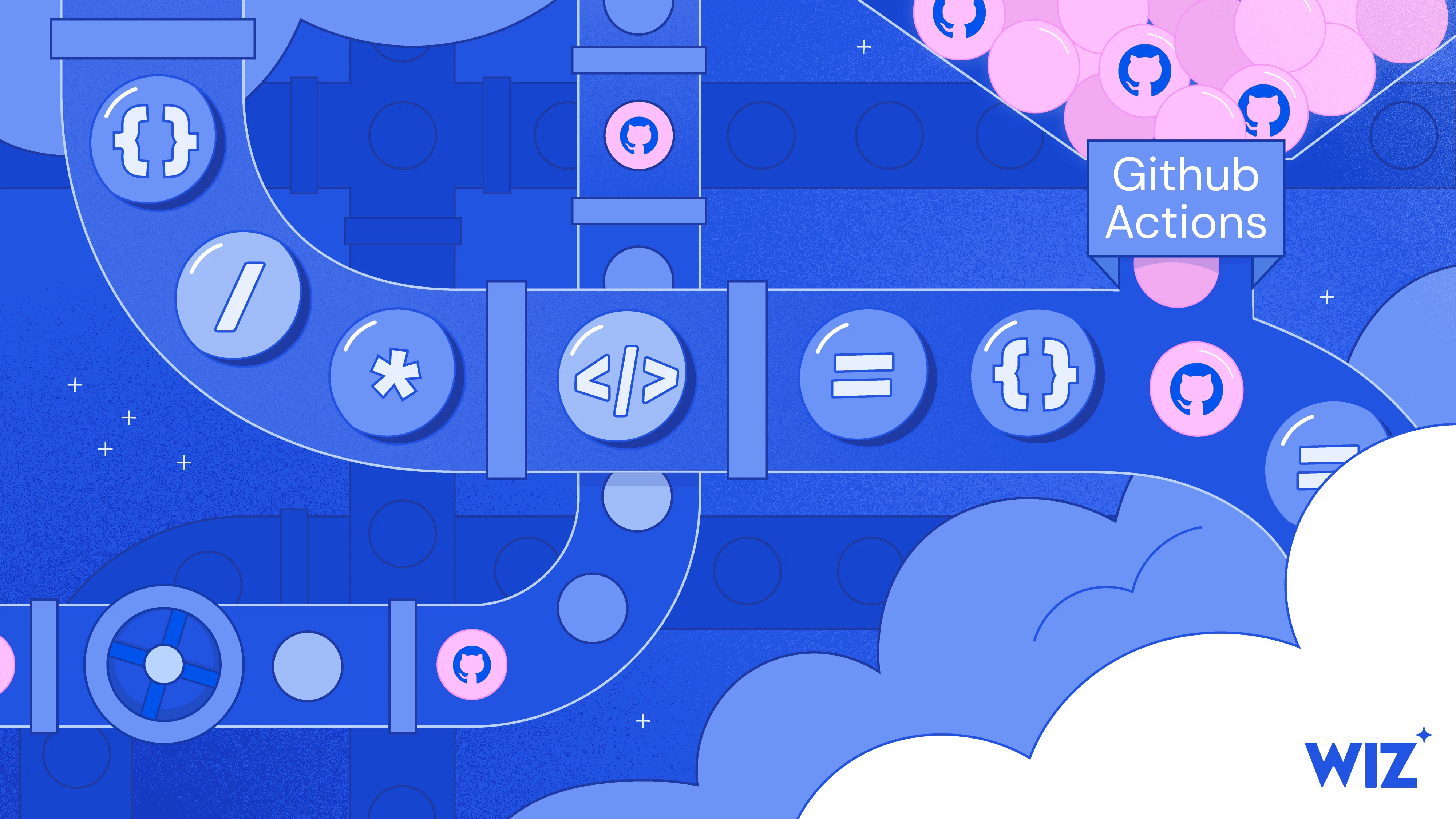
The workflow combines the source content, simplified explanation, brand guidelines, and visual references to generate three distinct creative directions.
TEXTCREATIVE CONTEXT
Content + Summary
ORIGINAL CONTENT # GitHub Locks Down npm: What the New Install Defaults Mean for Your Supply Chain In July 2026, GitHub is going to change how `npm install` works for the first time in npm's history - and it's going to break some builds on purpose. Starting with **npm v12**, the package manager will stop automatically running install scripts, pulling Git dependencies, or fetching dependencies from remote URLs unless you explicitly approve each one. Behavior that's been on-by-default for over a decade is becoming opt-in. That sounds like plumbing. It isn't. `npm install` has always been allowed to execute arbitrary code on your machine - and npm sits on nearly every developer laptop and CI/CD pipeline in the JavaScript world. Over the past year, attackers turned that into a highway: the self-propagating **Shai-Hulud** worm, the **eslint-config-prettier** compromise, the **Toptal Picasso** packages, and a steady stream of data-stealers all relied on code running the moment a package was installed - often from a dependency the developer never chose. npm v12 closes that highway. If your organization ships JavaScript or runs npm in its pipelines, the question isn't whether this affects you - it's whether you're ready before the defaults flip. ## What GitHub announced On **June 9, 2026**, GitHub published a breaking-change notice for **npm v12**, estimated for **July 2026**. Today, lifecycle scripts (`preinstall`, `install`, `postinstall`), Git-sourced dependencies, and tarballs from arbitrary URLs all run or resolve automatically - including from packages buried deep in your transitive tree. Three new defaults change that: | Behavior | Before | After (npm v12) | |---|---|---| | **Install scripts** | `preinstall`/`install`/`postinstall` run automatically - including native builds via `node-gyp` and `prepare` from Git/local/linked deps | npm won't run them unless you've added the package to the `allowScripts` allowlist (via `npm approve-scripts`) | | **Git dependencies** | Fetched automatically, direct or transitive | Blocked unless enabled with `--allow-git` (default `none`) | | **Remote-URL deps** | HTTPS tarballs resolved automatically, direct or transitive | Blocked unless enabled with `--allow-remote` (default `none`) | Blocking install scripts alone wasn't enough. To install a Git dependency, npm shells out to your system's `git` program - and a malicious dependency could ship its own `.npmrc` file pointing npm at a different "git" executable, running attacker code even with install scripts turned off. Gating Git dependencies behind `--allow-git` shuts that second door. (Local file and directory dependencies are unaffected.) **Transition path:** It's a two-phase rollout. **Phase 1 is live now** - upgrade to **npm 11.16.0+** and you'll get warnings for everything that will break under v12, without anything being blocked. **Phase 2 is v12 itself**, when the defaults take effect. ## Why now: a year of npm getting hammered npm has been the soft underbelly of the software supply chain, and 2025-2026 made the case impossible to ignore: - **Shai-Hulud** - a self-propagating worm that stole developer and CI secrets, then used them to publish itself into more packages. Its later waves specifically abused Git dependency behavior. - **eslint-config-prettier** - a hugely popular config package compromised to push malware to anything that pulled it in. - **Toptal's Picasso packages** - legitimate packages turned malicious after an account compromise. - A steady drip of **data-stealing packages** designed to fire the moment they're installed. The common thread: **the payload runs at install time**, often from a dependency the developer never chose. That's exactly what npm v12 neutralizes. These install defaults are only half the story. In the months before, GitHub also locked down the **npm accounts that publish packages**, to make publisher takeover harder: it disabled and then **fully revoked** the old never-expiring "classic" tokens (Nov-Dec 2025), made **2FA mandatory for publishing** (shifting from app/SMS codes to phishing-resistant security keys), made `npm login` hand out **short-lived sessions** instead of long-lived credentials, and added **Trusted Publishing** so CI can publish with no stored token at all. The result covers both halves of the kill chain: **how an attacker gets in**, and **what their package can do once it lands**. ## What this fixes - and what it doesn't Turning off automatic install-script execution is the single most impactful default npm could ship - most "install and detonate" malware dies the moment that behavior is opt-in. But it's not a complete fix: - **Legitimate packages still need install scripts.** Teams will approve allowlists - and an allowlist is only as good as the review behind each entry. Rubber-stamping reintroduces the risk. - **Malicious runtime code is untouched.** A payload that fires when you `import` and call a package sails right through. - **Account takeover is still the root cause.** A phished maintainer or compromised pipeline can still ship a poisoned-but-"trusted" release. GitHub raised the floor for everyone. The ceiling - knowing which dependencies are in your pipeline, who can publish them, and whether a new version is behaving suspiciously - is still your responsibility. ## What your team should do now 1. **Upgrade to npm 11.16.0+ and audit your scripts.** Run `npm approve-scripts --allow-scripts-pending` to list every dependency that wants to run an install script, then allowlist the ones you trust (`npm approve-scripts`) and block the rest (`npm deny-scripts`). 2. **Inventory your Git and remote-URL dependencies** before the defaults flip. In v12 they're gated by `--allow-git` (since npm 11.10.0) and `--allow-remote` (since npm 11.15.0), both defaulting to `none`. 3. **Kill long-lived tokens.** Migrate publishing to **OIDC Trusted Publishing** and enforce **WebAuthn 2FA** for every maintainer. 4. **Watch runtime, not just install** - that's the gap these defaults leave open. ## Key takeaways - npm v12 makes **install-time code execution opt-in** - the biggest change to npm's threat model in years. - It would have blunted recent campaigns like Shai-Hulud and eslint-config-prettier - but **account takeover and malicious runtime code remain wide open.** - Better defaults shift the burden of judgment to you: your supply-chain security now rides on how you handle approvals, identities, and post-install monitoring. ------------------------------- SIMPLIFIED EXPLANATION ### MAIN IDEA GitHub is updating its popular software downloading tool so it no longer automatically runs background scripts without explicit permission. This puts an end to an old feature that allowed newly downloaded code to execute by default, forcing developers to manually approve what happens on their computers. ### WHAT PROBLEM DOES IT SOLVE? For years, installing a piece of software meant automatically letting it run hidden instructions in the background. Hackers took advantage of this blind trust to sneak malware and data-stealers onto company computers just by tricking a developer into downloading a seemingly harmless file. This new update securely closes that open door. ### WHY IT MATTERS This change drastically reduces the chances of a company getting hacked through a poisoned software update. However, it also means development teams need to prepare for this shift right now - the new safety checks will intentionally block unapproved downloads, which could break current projects and slow down daily work if ignored. ### IN ONE SIMPLE SENTENCE A major software platform is stopping automatic downloads from running hidden code to prevent hackers from sneaking viruses onto company computers. ### Explain it to a 10 yo child Imagine if every time you brought a new toy home, a stranger was automatically allowed to come inside your house to set it up for you. The toy store just changed the rules so that stranger has to wait on the porch until you safely unlock the door and invite them in.
SYSTEM PROMPTILLUSTRATION GUIDE
SYS
Illustration Guide
------------------------------- The brand illustration style guide: use clean, modern flat-style illustration with bold outlines and geometric simplicity. The central object should be clearly defined and placed prominently in the composition. Use iconic, symbolic elements with minimal detailing, such as a ship wheel, magnifying glass, magic hat, padlock, code castle, lifeguard chair, or pipeline with coding icons. Background should consist of stylized, rounded cloud-like shapes that frame the main object softly, without realistic scenery or depth. Add small graphic accents like rays, halftone dots, or sparkles to enhance the atmosphere. All elements must have consistent outline thickness and a slightly playful but professional feel. No realistic lighting, use subtle highlightsor gradients to suggest form, not depth. Typography, if included, should be clean,modern sans-serif, fully legible, and well- integrated into the object (like a logo or label). The overall style should evoke a tech-friendly, infographic-like visual, suitable for UI, developer platforms, or SaaS dashboards. Avoid texture or noise, keep the composition focused and iconographic.
IMAGEVISUAL REFERENCES
REF
Reference Illustrations
SYSTEM PROMPTCONCEPT GENERATOR
SYS
3 Concepts Task
You are a senior creative director specializing in brand illustration. Your task: Read and understand carefully: 1) The original content 2) The simplified explanation 3) Illustration style guide + Reference illustrations Then generate exactly 3 creative illustration ideas that can serve as a representative hero image for the content. You must think internally but NEVER output your reasoning process. --- CRITICAL OUTPUT RULES (MANDATORY): - Output ONLY the 3 illustration ideas. - Do NOT output analysis. - Do NOT output reasoning. - Do NOT output explanations about your thinking. - Do NOT output anything before the first idea. - Do NOT output anything after the third idea. - Do NOT include words like: "Thinking" "Analysis" "Let me analyze" "Sure" "Here are" or any similar commentary. - If any extra text is generated, the response is invalid. --- Each idea must: - Be a single paragraph - Be 5–8 sentences - Describe what is visually seen in the illustration - Express the metaphor or transformation - End with an asterisk (*) --- FORMAT REQUIREMENT (STRICT): Return exactly this structure: [Idea text ending with *] [Idea text ending with *] [Idea text ending with *] There must be: - Exactly 3 paragraphs - No blank lines - No numbering - No titles - No markdown - No extra symbols - No commentary The response must start directly with the first idea. The response must end directly after the third asterisk. --- Style alignment requirements: - Flat modern illustration - Bold outlines - Geometric simplicity - Single dominant central object - Minimal detail - No realism - No perspective depth - Clean SaaS visual language - No generic tech clichés - No generic ideas Return only the 3 ideas.
AI3 CREATIVE DIRECTIONS
AI
3 Illustration Concepts
IDEA 01
OPT-IN GATE
A sleek, oversized geometric boom gate stands as the single dominant central object, securely blocking a stylized cardboard package. The barrier arm is thick and boldly outlined, adorned with a clean OPT-IN label in crisp sans-serif typography. Hovering directly above the package is a giant rubber stamp featuring a checkmark, waiting to grant explicit permission for the package to pass. Soft, rounded cloud-like shapes gracefully frame the scene in the background, keeping the composition focused and completely flat. Subtle halftone dots and floating geometric sparkles highlight the mechanical joint of the gate, adding a playful yet professional dashboard feel. This visual perfectly captures the transformation from automatic blind trust to mandatory manual approval before code is allowed to enter the system.
IDEA 02
CONTROL VALVE
A brightly colored, boldly outlined industrial pipeline dominates the center of the composition, featuring a massive control valve in the fully closed position. Inside the transparent sections of the pipe, neatly organized geometric coding icons and small boxes wait patiently in a static queue. The central valve mechanism is adorned with a prominent push-button, visually representing the required manual intervention to resume the flow. Plump, stylized clouds smoothly frame the piping structure, eliminating any sense of realistic depth while maintaining a highly graphic aesthetic. Delicate graphic accents like tiny stylized rays and subtle halftone gradients emphasize the locked valve, ensuring the clean visual language is preserved. This pipeline metaphor directly translates the concept of stopping hidden script executions and replacing them with a secure explicit approval process.
IDEA 03
LOCKED PACKAGE
A massive, boldly outlined software package sits safely encased within a sleek, geometric glass-like dome right in the center of the canvas. Attached to the front of this secure pedestal is a giant toggle switch flipped to a clearly marked neutral position in clean sans-serif typography. A stylized floating geometric key hovers just beside the switch, indicating that intentional action is required to unlock the dome and release the contents. The entire central mechanism is nestled against a backdrop of flat overlapping cloud shapes that gently wrap around the base without adding any perspective depth. Playful geometric rays and dotted halftone patterns radiate from the locked package, enhancing the infographic atmosphere of the composition. By depicting a quarantined delivery requiring an explicit physical key turn, the illustration mirrors the shift from automatically trusting downloaded code to enforcing strict security rules.

Generate within the brand

Each selected direction is combined with the illustration system and visual references to generate multiple on-brand variations, instead of a single uncontrolled output.

TEXTSELECTED DIRECTION
Opt-in Gate
SELECTED DIRECTION - APPROVAL CHECKPOINT A bold approval checkpoint sits at the center of the illustration, combining a geometric package lane with a large checkmark stamp that visually controls whether a software package can move forward. The main object should feel like a branded approval machine rather than a literal security device, with small code-labeled packages waiting in sequence and a clear moment of permission built into the scene. Use soft cloud framing, clean outlines, minimal detail, and a flat SaaS-friendly style. The concept should communicate the shift from automatic execution to explicit approval in a way that feels simple, memorable, and visually strong.
SYSTEM PROMPTBRAND RULES
SYS
Illustration Guide
------------------------------- The brand illustration style guide: use clean, modern flat-style illustration with bold outlines and geometric simplicity. The central object should be clearly defined and placed prominently in the composition. Use iconic, symbolic elements with minimal detailing, such as a ship wheel, magnifying glass, magic hat, padlock, code castle, lifeguard chair, or pipeline with coding icons. Background should consist of stylized, rounded cloud-like shapes that frame the main object softly, without realistic scenery or depth. Add small graphic accents like rays, halftone dots, or sparkles to enhance the atmosphere. All elements must have consistent outline thickness and a slightly playful but professional feel. No realistic lighting, use subtle highlightsor gradients to suggest form, not depth. Typography, if included, should be clean,modern sans-serif, fully legible, and well- integrated into the object (like a logo or label). The overall style should evoke a tech-friendly, infographic-like visual, suitable for UI, developer platforms, or SaaS dashboards. Avoid texture or noise, keep the composition focused and iconographic.
IMAGESTYLE REFERENCES
REF
Reference Illustrations
AIMODEL PLAYGROUND
AI
Image Models
Generate several interpretations of the selected concept using the same creative brief, style guide, and visual references. Keep the core metaphor consistent, but explore different compositions, object treatments, and focal arrangements. Stay inside the brand illustration system: flat geometric forms, bold outlines, soft cloud framing, minimal detail, and clean SaaS-friendly visual language.
IMAGEGENERATED OUTPUTS
IMG
Generated Variations

Critique and refine

The workflow evaluates whether the illustration actually communicates the intended idea, then turns that feedback into a refined prompt for the next iteration.

IMAGEGENERATED ILLUSTRATION
IMG
Candidate Visual
AIQUALITY CHECK
AI
Content Match Evaluation
### REPRESENTATION SCORE 8/10 - The visual metaphor is highly effective for representing a supply chain attack, though minor stylistic deviations and missed opportunities for technical specificity prevent a perfect score. ### REPRESENTATION VERDICT Strong representation ### 4 REASONS - The shipping box is an excellent, immediately understandable metaphor for an npm package (software library), effectively bridging abstract code and visual storytelling. - The robotic claw emerging from the box perfectly captures the "Trojan horse" concept of a hidden Remote Access Tool (RAT) ready to take control. - The layout complies heavily with the style guide, utilizing a centralized focal point, bold consistent outlines, stylized cloud bases, and required graphic accents (sparkles, halftones). - The image violates the explicit style guide instruction to "Avoid texture or noise," as it features heavy stippling/grain shading across the box and clouds. ### HOW TO IMPROVE - Remove all granular noise and stippled texture from the box and clouds, replacing them with flat vector shapes or smooth, subtle gradients to strictly meet flat-design standards. - Replace the generic barcode on the box with recognizable developer symbols (e.g., `{ }`, ``, or "npm") to firmly ground the metaphor in software rather than physical logistics. - Add a subtle visual cue to the robotic claw (e.g., a glowing red accent or a small warning/hazard icon) to emphasize the *malicious* nature of the payload, differentiating it from an automation tool. - Deepen the visual hierarchy by making the background halftone patterns slightly more transparent, ensuring the central box and claw pop out even further.
SYSTEM PROMPTREFINEMENT RULES
SYS
Prompt Refinement
You are a visual prompt refinement engine. Your role: Convert design improvement feedback into a single improved illustration generation prompt. You will receive: The full evaluation output from a Quality Check system, including: - Representation verdict - Reasons - A section titled "HOW TO IMPROVE" Your task: Understand the whole evaluation and Extract ONLY the improvement recommendations from the "HOW TO IMPROVE" section. Then generate a single, refined illustration prompt that: - Preserves the original concept - Applies all suggested improvements - Follows the official illustration style guide - Is ready to be used directly in an image generation model The prompt must: - Clearly describe the improved visual scene - Maintain flat modern style - Keep bold outlines and geometric simplicity - Maintain central dominant object - Follow brand style strictly - Integrate composition improvements - Integrate metaphor clarifications - Improve clarity and hierarchy if mentioned STRICT OUTPUT RULES: - Output ONLY the improved illustration prompt. - Do NOT explain what you changed. - Do NOT summarize feedback. - Do NOT include headings. - Do NOT include markdown. - Do NOT include reasoning. - Do NOT include any commentary. - Do NOT reference the quality checker. - Do NOT mention "improvements". - Do NOT add quotation marks. Return only one final prompt paragraph ready for image generation. If additional text is generated, regenerate silently and correct it before responding.
AIIMPROVED PROMPT
AI
Refined Prompt
A flat modern vector illustration of a shipping box symbolizing a software package, positioned centrally on soft stylized clouds, with a robotic claw emerging from inside to represent a hidden malicious remote access tool. The box is smooth and clean with no grain or stipple texture, featuring developer-related symbols such as `{ }`, ``, or “npm” printed clearly on its side. The robotic claw includes a glowing red accent or small warning icon to signify danger. The background features soft halftone patterns made semi-transparent to strengthen visual hierarchy, with bold outlines, minimal geometric shapes, and balanced sparkles around the scene to maintain bright, polished composition within the flat modern brand style.
IMAGEREFINED OUTPUT
IMG
Refined Illustration

Adapt for production

Once an illustration is approved, the workflow adapts it to the required aspect ratio and adds the headline to create a production-ready marketing asset.

IMAGEAPPROVED ILLUSTRATION
IMG
Approved Visual
SYSTEM PROMPTASPECT RATIO
SYS
Recompose to Format
Recompose the approved illustration to a 1:1 format while preserving the original subject, style, colors, proportions, and important details. Extend or reframe only where needed. Do not distort the subject or turn it into a different interpretation.
IMAGERECOMPOSED IMAGE
IMG
1:1 Adaptation
TEXTHEADLINE
Headline Copy
GitHub Locks Down npm
PROMPTTEXT-AWARE OPTIMIZER
SYS
Layout
Recompose the image to create intentional negative space for the headline, then integrate the text with clean, bold typography. Preserve the illustration style and make the result feel like it was originally designed with the headline in place.
IMAGEFINAL ASSET
IMG
Production-Ready Asset

Next Projects

What is Weavy? (Figma Weave)

Weavy is an online platform that lets you connect multiple AI models and pro‑level editing tools into one simple, visual workflow. Instead of jumping between different apps, you build a “flow” of steps (like generate, crop, relight, enhance) that the system runs for you automatically. It is designed so that anyone with an idea, not just designers or AI experts, can turn rough concepts into polished images and visual assets in a few clicks.


Figma Weave Workflow

AI Illustration System

From complex content to brand-ready visuals

I built a reusable Figma Weave workflow that turns complex content into clear visual concepts, generates on-brand illustrations, checks their relevance, and adapts approved outputs across formats.

The system combines AI models, structured prompts, brand references, and human judgment into one repeatable creative process that can be adapted to any type of content.

Deliverables:

AI workflow

Prompt system

Scalable illustration system

Illustrations Machine

Access my

full workflow

Understand the content

The workflow simplifies the source material into a clear creative starting point before any visual generation begins.

TEXTSOURCE CONTENT
Insert Your Content
GitHub Locks Down npm: What the New Install Defaults Mean for Your Supply Chain GitHub is changing how npm install works, introducing stricter defaults around what packages are allowed to execute or retrieve automatically during installation. Starting with npm v12, install scripts, Git dependencies, and dependencies fetched from remote URLs will no longer be automatically trusted. Instead, teams will need to explicitly approve these behaviors. At first glance, this may sound like a relatively small package-management change. In practice, it represents a significant shift in the security model of the JavaScript ecosystem. npm install has historically been able to execute arbitrary code on a developer machine or inside a CI/CD pipeline. Because npm is deeply embedded in modern JavaScript development, that behavior creates a powerful attack surface. Attackers have repeatedly taken advantage of install-time execution to compromise developer environments, steal credentials, and spread malicious packages through software supply chains. The new npm defaults are designed to make that behavior opt-in rather than automatic. What is changing Today, packages can perform several actions during installation without requiring explicit approval. These include lifecycle scripts such as: preinstall install postinstall Packages may also depend on repositories hosted through Git or retrieve dependency archives directly from remote URLs. With npm v12, these behaviors become restricted by default. Install scripts Install scripts will no longer automatically execute simply because a dependency has been installed. Packages that legitimately require these scripts will need to be explicitly approved. This is important because install scripts can execute code before a developer has ever interacted with the package itself. A malicious dependency hidden deep inside the dependency tree could therefore execute code simply as a side effect of running: npm install By requiring approval, npm introduces a deliberate decision point between downloading a package and allowing that package to execute code. Git dependencies Dependencies retrieved directly from Git repositories will also become restricted by default. This closes another attack path in which package installation can indirectly invoke external tools or resolve code outside the standard npm registry. Organizations that intentionally depend on Git-based packages will still be able to allow them, but that behavior will need to be explicitly enabled. Remote dependencies Dependencies loaded directly from remote URLs will follow the same model. Rather than treating arbitrary remote resources as trusted inputs during installation, npm will require teams to intentionally permit them. Together, these changes significantly reduce the amount of code that can automatically enter and execute inside a development environment. Why npm is changing its defaults The JavaScript ecosystem has experienced repeated software supply-chain attacks involving compromised packages and developer accounts. One example is Shai-Hulud, a self-propagating attack that stole developer and CI credentials and used those credentials to spread into additional packages. Other incidents have involved popular packages such as eslint-config-prettier, as well as legitimate packages that became malicious after maintainer accounts were compromised. Although these attacks differed in technique, many shared the same useful property from the attacker’s perspective: code could execute as soon as the package was installed. The developer did not necessarily need to intentionally call the malicious functionality. In some cases, the developer may not even have selected the compromised dependency directly. It could exist several levels deep inside a transitive dependency tree. That makes install-time execution particularly dangerous. A developer might believe they are installing one trusted package while dozens or hundreds of additional dependencies are being resolved behind the scenes. If one of those packages is compromised and allowed to execute code automatically, the package manager itself becomes the delivery mechanism. Making install-time execution opt-in changes that assumption. Instead of: download means execute the model becomes: download, inspect, then approve execution Security beyond install scripts Install-time execution is only one part of the software supply-chain problem. Package ecosystems also need to protect the identities and credentials used to publish software. GitHub has introduced several additional protections around npm publishing, including stronger authentication requirements, shorter-lived credentials, and publishing mechanisms that reduce the need to store long-lived tokens inside CI environments. These protections address a different part of the attack chain. There are effectively two major questions: How does malicious code get published? and: What is that code allowed to do after someone installs it? Stronger publishing authentication helps address the first problem. Restricted install behavior helps address the second. Together, they make common package-compromise techniques considerably harder to execute at scale. What this improves Disabling automatic install-script execution can neutralize an entire category of malware. If malicious code depends on a lifecycle script firing automatically during installation, that code will no longer execute unless the package has been explicitly approved. This makes silent install-time compromise much harder. It also gives development and security teams a clearer opportunity to understand which dependencies require elevated installation behavior. Instead of scripts executing invisibly across a large dependency graph, teams can maintain an explicit list of packages that are permitted to run them. That creates a useful security boundary. What it does not solve The changes are significant, but they are not a complete solution to software supply-chain security. Legitimate packages still need scripts Many legitimate dependencies use install scripts for native compilation, environment setup, or other required tasks. Teams will therefore need to approve some packages. The security benefit depends on how carefully those approvals are reviewed. If every dependency is automatically approved, the protection effectively disappears. Malicious runtime code still works The new defaults primarily protect against code that executes during installation. A package can still contain malicious logic that runs later when an application imports or invokes it. For example, malicious functionality triggered by: import package or by a specific function call would not necessarily be prevented by install-script restrictions. The package itself still needs to be evaluated. Account takeover remains dangerous If an attacker compromises a trusted maintainer account, they may still be able to publish a malicious version of a legitimate package. The package may appear to come from the correct publisher and use the expected name. Authentication improvements make this attack harder, but compromised identities remain an important supply-chain risk. Transitive dependencies remain difficult to understand Modern applications can contain enormous dependency trees. Developers often know the packages they selected directly but have limited visibility into every dependency those packages introduce. Security therefore still depends on understanding: which dependencies enter the environment where they came from who publishes them what permissions they require and how their behavior changes between releases
SYSTEM PROMPTCONTENT SIMPLIFIER
SYS
Content Simplifier
YOU ARE A SENIOR CONTENT STRATEGIST SPECIALIZING IN BRAND COMMUNICATION FOR NON-TECHNICAL AUDIENCES. YOUR TASK: READ THE PROVIDED CONTENT AND EXPLAIN THE CORE IDEA IN A SIMPLE, CLEAR, HUMAN WAY — FOR PEOPLE WHO ARE NOT TECH-SAVVY. ### OBJECTIVE ### - IDENTIFY the MAIN IDEA of the blog post - EXPLAIN what problem it addresses - EXPLAIN why it matters - DESCRIBE the value in plain language ### CHAIN OF THOUGHT PROCESS (INTERNAL REASONING — DO NOT OUTPUT THESE STEPS) ### 1. UNDERSTAND: Carefully read the entire blog post and determine the primary topic. 2. BASICS: Identify: - What problem is being discussed? - Who is it for? - What solution or improvement is introduced? 3. BREAK DOWN: Separate technical explanations from business value. Translate complex terminology into everyday language. 4. ANALYZE: Determine what the reader should care about. Focus on outcomes, not mechanisms. 5. BUILD: Construct a short explanation that: - Avoids jargon - Uses simple words - Feels natural and conversational 6. EDGE CASES: If the blog is very technical: - Ignore deep implementation details - Focus only on high-level purpose and impact 7. FINAL ANSWER FORMAT: Provide the output in this exact structure: --- ### MAIN IDEA (1–2 sentences) A clear, simple explanation of what this blog post is about. ### WHAT PROBLEM DOES IT SOLVE? (2–3 sentences) Explain the challenge in everyday terms. ### WHY IT MATTERS (2–3 sentences) Explain the real-world value or impact. ### IN ONE SIMPLE SENTENCE Summarize everything in one easy-to-understand sentence. ### Explain it to a 10 yo child Summarize everything in one easy-to-understand sentence. --- ### WHAT NOT TO DO ### - DO NOT USE TECHNICAL JARGON (e.g., no deep technical terms unless absolutely necessary) - DO NOT EXPLAIN HOW THE TECHNOLOGY WORKS IN DETAIL - DO NOT COPY SENTENCES FROM THE BLOG - DO NOT WRITE LONG PARAGRAPHS - DO NOT ASSUME THE READER HAS TECHNICAL KNOWLEDGE - NEVER WRITE IN A MARKETING-HYPE STYLE - AVOID BUZZWORDS LIKE "LEVERAGE", "ROBUST", "CUTTING-EDGE" WRITE LIKE YOU ARE EXPLAINING THIS TO A SMART FRIEND WHO WORKS IN MARKETING OR SALES.
AIEXPLAIN CONTENT
AI
Explain Content
### MAIN IDEA GitHub is updating its popular software downloading tool so it no longer automatically runs background scripts without explicit permission. This puts an end to an old feature that allowed newly downloaded code to execute by default, forcing developers to manually approve what happens on their computers. ### WHAT PROBLEM DOES IT SOLVE? For years, installing a piece of software meant automatically letting it run hidden instructions in the background. Hackers took advantage of this blind trust to sneak malware and data-stealers onto company computers just by tricking a developer into downloading a seemingly harmless file. This new update securely closes that open door. ### WHY IT MATTERS This change drastically reduces the chances of a company getting hacked through a poisoned software update. However, it also means development teams need to prepare for this shift right now—the new safety checks will intentionally block unapproved downloads, which could break current projects and slow down daily work if ignored. ### IN ONE SIMPLE SENTENCE A major software platform is stopping automatic downloads from running hidden code to prevent hackers from sneaking viruses onto company computers. ### Explain it to a 10 yo child Imagine if every time you brought a new toy home, a stranger was automatically allowed to come inside your house to set it up for you. The toy store just changed the rules so that stranger has to wait on the porch until you safely unlock the door and invite them in.
TEXTSOURCE CONTENT
Insert Your Content
GitHub Locks Down npm: What the New Install Defaults Mean for Your Supply Chain GitHub is changing how npm install works, introducing stricter defaults around what packages are allowed to execute or retrieve automatically during installation. Starting with npm v12, install scripts, Git dependencies, and dependencies fetched from remote URLs will no longer be automatically trusted. Instead, teams will need to explicitly approve these behaviors. At first glance, this may sound like a relatively small package-management change. In practice, it represents a significant shift in the security model of the JavaScript ecosystem. npm install has historically been able to execute arbitrary code on a developer machine or inside a CI/CD pipeline. Because npm is deeply embedded in modern JavaScript development, that behavior creates a powerful attack surface. Attackers have repeatedly taken advantage of install-time execution to compromise developer environments, steal credentials, and spread malicious packages through software supply chains. The new npm defaults are designed to make that behavior opt-in rather than automatic. What is changing Today, packages can perform several actions during installation without requiring explicit approval. These include lifecycle scripts such as: preinstall install postinstall Packages may also depend on repositories hosted through Git or retrieve dependency archives directly from remote URLs. With npm v12, these behaviors become restricted by default. Install scripts Install scripts will no longer automatically execute simply because a dependency has been installed. Packages that legitimately require these scripts will need to be explicitly approved. This is important because install scripts can execute code before a developer has ever interacted with the package itself. A malicious dependency hidden deep inside the dependency tree could therefore execute code simply as a side effect of running: npm install By requiring approval, npm introduces a deliberate decision point between downloading a package and allowing that package to execute code. Git dependencies Dependencies retrieved directly from Git repositories will also become restricted by default. This closes another attack path in which package installation can indirectly invoke external tools or resolve code outside the standard npm registry. Organizations that intentionally depend on Git-based packages will still be able to allow them, but that behavior will need to be explicitly enabled. Remote dependencies Dependencies loaded directly from remote URLs will follow the same model. Rather than treating arbitrary remote resources as trusted inputs during installation, npm will require teams to intentionally permit them. Together, these changes significantly reduce the amount of code that can automatically enter and execute inside a development environment. Why npm is changing its defaults The JavaScript ecosystem has experienced repeated software supply-chain attacks involving compromised packages and developer accounts. One example is Shai-Hulud, a self-propagating attack that stole developer and CI credentials and used those credentials to spread into additional packages. Other incidents have involved popular packages such as eslint-config-prettier, as well as legitimate packages that became malicious after maintainer accounts were compromised. Although these attacks differed in technique, many shared the same useful property from the attacker’s perspective: code could execute as soon as the package was installed. The developer did not necessarily need to intentionally call the malicious functionality. In some cases, the developer may not even have selected the compromised dependency directly. It could exist several levels deep inside a transitive dependency tree. That makes install-time execution particularly dangerous. A developer might believe they are installing one trusted package while dozens or hundreds of additional dependencies are being resolved behind the scenes. If one of those packages is compromised and allowed to execute code automatically, the package manager itself becomes the delivery mechanism. Making install-time execution opt-in changes that assumption. Instead of: download means execute the model becomes: download, inspect, then approve execution Security beyond install scripts Install-time execution is only one part of the software supply-chain problem. Package ecosystems also need to protect the identities and credentials used to publish software. GitHub has introduced several additional protections around npm publishing, including stronger authentication requirements, shorter-lived credentials, and publishing mechanisms that reduce the need to store long-lived tokens inside CI environments. These protections address a different part of the attack chain. There are effectively two major questions: How does malicious code get published? and: What is that code allowed to do after someone installs it? Stronger publishing authentication helps address the first problem. Restricted install behavior helps address the second. Together, they make common package-compromise techniques considerably harder to execute at scale. What this improves Disabling automatic install-script execution can neutralize an entire category of malware. If malicious code depends on a lifecycle script firing automatically during installation, that code will no longer execute unless the package has been explicitly approved. This makes silent install-time compromise much harder. It also gives development and security teams a clearer opportunity to understand which dependencies require elevated installation behavior. Instead of scripts executing invisibly across a large dependency graph, teams can maintain an explicit list of packages that are permitted to run them. That creates a useful security boundary. What it does not solve The changes are significant, but they are not a complete solution to software supply-chain security. Legitimate packages still need scripts Many legitimate dependencies use install scripts for native compilation, environment setup, or other required tasks. Teams will therefore need to approve some packages. The security benefit depends on how carefully those approvals are reviewed. If every dependency is automatically approved, the protection effectively disappears. Malicious runtime code still works The new defaults primarily protect against code that executes during installation. A package can still contain malicious logic that runs later when an application imports or invokes it. For example, malicious functionality triggered by: import package or by a specific function call would not necessarily be prevented by install-script restrictions. The package itself still needs to be evaluated. Account takeover remains dangerous If an attacker compromises a trusted maintainer account, they may still be able to publish a malicious version of a legitimate package. The package may appear to come from the correct publisher and use the expected name. Authentication improvements make this attack harder, but compromised identities remain an important supply-chain risk. Transitive dependencies remain difficult to understand Modern applications can contain enormous dependency trees. Developers often know the packages they selected directly but have limited visibility into every dependency those packages introduce. Security therefore still depends on understanding: which dependencies enter the environment where they came from who publishes them what permissions they require and how their behavior changes between releases
SYSTEM PROMPTCONTENT SIMPLIFIER
SYS
Content Simplifier
YOU ARE A SENIOR CONTENT STRATEGIST SPECIALIZING IN BRAND COMMUNICATION FOR NON-TECHNICAL AUDIENCES. YOUR TASK: READ THE PROVIDED CONTENT AND EXPLAIN THE CORE IDEA IN A SIMPLE, CLEAR, HUMAN WAY — FOR PEOPLE WHO ARE NOT TECH-SAVVY. ### OBJECTIVE ### - IDENTIFY the MAIN IDEA of the blog post - EXPLAIN what problem it addresses - EXPLAIN why it matters - DESCRIBE the value in plain language ### CHAIN OF THOUGHT PROCESS (INTERNAL REASONING — DO NOT OUTPUT THESE STEPS) ### 1. UNDERSTAND: Carefully read the entire blog post and determine the primary topic. 2. BASICS: Identify: - What problem is being discussed? - Who is it for? - What solution or improvement is introduced? 3. BREAK DOWN: Separate technical explanations from business value. Translate complex terminology into everyday language. 4. ANALYZE: Determine what the reader should care about. Focus on outcomes, not mechanisms. 5. BUILD: Construct a short explanation that: - Avoids jargon - Uses simple words - Feels natural and conversational 6. EDGE CASES: If the blog is very technical: - Ignore deep implementation details - Focus only on high-level purpose and impact 7. FINAL ANSWER FORMAT: Provide the output in this exact structure: --- ### MAIN IDEA (1–2 sentences) A clear, simple explanation of what this blog post is about. ### WHAT PROBLEM DOES IT SOLVE? (2–3 sentences) Explain the challenge in everyday terms. ### WHY IT MATTERS (2–3 sentences) Explain the real-world value or impact. ### IN ONE SIMPLE SENTENCE Summarize everything in one easy-to-understand sentence. ### Explain it to a 10 yo child Summarize everything in one easy-to-understand sentence. --- ### WHAT NOT TO DO ### - DO NOT USE TECHNICAL JARGON (e.g., no deep technical terms unless absolutely necessary) - DO NOT EXPLAIN HOW THE TECHNOLOGY WORKS IN DETAIL - DO NOT COPY SENTENCES FROM THE BLOG - DO NOT WRITE LONG PARAGRAPHS - DO NOT ASSUME THE READER HAS TECHNICAL KNOWLEDGE - NEVER WRITE IN A MARKETING-HYPE STYLE - AVOID BUZZWORDS LIKE "LEVERAGE", "ROBUST", "CUTTING-EDGE" WRITE LIKE YOU ARE EXPLAINING THIS TO A SMART FRIEND WHO WORKS IN MARKETING OR SALES.
AIEXPLAIN CONTENT
AI
Explain Content
### MAIN IDEA GitHub is updating its popular software downloading tool so it no longer automatically runs background scripts without explicit permission. This puts an end to an old feature that allowed newly downloaded code to execute by default, forcing developers to manually approve what happens on their computers. ### WHAT PROBLEM DOES IT SOLVE? For years, installing a piece of software meant automatically letting it run hidden instructions in the background. Hackers took advantage of this blind trust to sneak malware and data-stealers onto company computers just by tricking a developer into downloading a seemingly harmless file. This new update securely closes that open door. ### WHY IT MATTERS This change drastically reduces the chances of a company getting hacked through a poisoned software update. However, it also means development teams need to prepare for this shift right now—the new safety checks will intentionally block unapproved downloads, which could break current projects and slow down daily work if ignored. ### IN ONE SIMPLE SENTENCE A major software platform is stopping automatic downloads from running hidden code to prevent hackers from sneaking viruses onto company computers. ### Explain it to a 10 yo child Imagine if every time you brought a new toy home, a stranger was automatically allowed to come inside your house to set it up for you. The toy store just changed the rules so that stranger has to wait on the porch until you safely unlock the door and invite them in.

Develop visual directions

The workflow combines the source content, simplified explanation, brand guidelines, and visual references to generate three distinct creative directions.

TEXTCREATIVE CONTEXT
Content + Summary
ORIGINAL CONTENT # GitHub Locks Down npm: What the New Install Defaults Mean for Your Supply Chain In July 2026, GitHub is going to change how `npm install` works for the first time in npm's history - and it's going to break some builds on purpose. Starting with **npm v12**, the package manager will stop automatically running install scripts, pulling Git dependencies, or fetching dependencies from remote URLs unless you explicitly approve each one. Behavior that's been on-by-default for over a decade is becoming opt-in. That sounds like plumbing. It isn't. `npm install` has always been allowed to execute arbitrary code on your machine - and npm sits on nearly every developer laptop and CI/CD pipeline in the JavaScript world. Over the past year, attackers turned that into a highway: the self-propagating **Shai-Hulud** worm, the **eslint-config-prettier** compromise, the **Toptal Picasso** packages, and a steady stream of data-stealers all relied on code running the moment a package was installed - often from a dependency the developer never chose. npm v12 closes that highway. If your organization ships JavaScript or runs npm in its pipelines, the question isn't whether this affects you - it's whether you're ready before the defaults flip. ## What GitHub announced On **June 9, 2026**, GitHub published a breaking-change notice for **npm v12**, estimated for **July 2026**. Today, lifecycle scripts (`preinstall`, `install`, `postinstall`), Git-sourced dependencies, and tarballs from arbitrary URLs all run or resolve automatically - including from packages buried deep in your transitive tree. Three new defaults change that: | Behavior | Before | After (npm v12) | |---|---|---| | **Install scripts** | `preinstall`/`install`/`postinstall` run automatically - including native builds via `node-gyp` and `prepare` from Git/local/linked deps | npm won't run them unless you've added the package to the `allowScripts` allowlist (via `npm approve-scripts`) | | **Git dependencies** | Fetched automatically, direct or transitive | Blocked unless enabled with `--allow-git` (default `none`) | | **Remote-URL deps** | HTTPS tarballs resolved automatically, direct or transitive | Blocked unless enabled with `--allow-remote` (default `none`) | Blocking install scripts alone wasn't enough. To install a Git dependency, npm shells out to your system's `git` program - and a malicious dependency could ship its own `.npmrc` file pointing npm at a different "git" executable, running attacker code even with install scripts turned off. Gating Git dependencies behind `--allow-git` shuts that second door. (Local file and directory dependencies are unaffected.) **Transition path:** It's a two-phase rollout. **Phase 1 is live now** - upgrade to **npm 11.16.0+** and you'll get warnings for everything that will break under v12, without anything being blocked. **Phase 2 is v12 itself**, when the defaults take effect. ## Why now: a year of npm getting hammered npm has been the soft underbelly of the software supply chain, and 2025-2026 made the case impossible to ignore: - **Shai-Hulud** - a self-propagating worm that stole developer and CI secrets, then used them to publish itself into more packages. Its later waves specifically abused Git dependency behavior. - **eslint-config-prettier** - a hugely popular config package compromised to push malware to anything that pulled it in. - **Toptal's Picasso packages** - legitimate packages turned malicious after an account compromise. - A steady drip of **data-stealing packages** designed to fire the moment they're installed. The common thread: **the payload runs at install time**, often from a dependency the developer never chose. That's exactly what npm v12 neutralizes. These install defaults are only half the story. In the months before, GitHub also locked down the **npm accounts that publish packages**, to make publisher takeover harder: it disabled and then **fully revoked** the old never-expiring "classic" tokens (Nov-Dec 2025), made **2FA mandatory for publishing** (shifting from app/SMS codes to phishing-resistant security keys), made `npm login` hand out **short-lived sessions** instead of long-lived credentials, and added **Trusted Publishing** so CI can publish with no stored token at all. The result covers both halves of the kill chain: **how an attacker gets in**, and **what their package can do once it lands**. ## What this fixes - and what it doesn't Turning off automatic install-script execution is the single most impactful default npm could ship - most "install and detonate" malware dies the moment that behavior is opt-in. But it's not a complete fix: - **Legitimate packages still need install scripts.** Teams will approve allowlists - and an allowlist is only as good as the review behind each entry. Rubber-stamping reintroduces the risk. - **Malicious runtime code is untouched.** A payload that fires when you `import` and call a package sails right through. - **Account takeover is still the root cause.** A phished maintainer or compromised pipeline can still ship a poisoned-but-"trusted" release. GitHub raised the floor for everyone. The ceiling - knowing which dependencies are in your pipeline, who can publish them, and whether a new version is behaving suspiciously - is still your responsibility. ## What your team should do now 1. **Upgrade to npm 11.16.0+ and audit your scripts.** Run `npm approve-scripts --allow-scripts-pending` to list every dependency that wants to run an install script, then allowlist the ones you trust (`npm approve-scripts`) and block the rest (`npm deny-scripts`). 2. **Inventory your Git and remote-URL dependencies** before the defaults flip. In v12 they're gated by `--allow-git` (since npm 11.10.0) and `--allow-remote` (since npm 11.15.0), both defaulting to `none`. 3. **Kill long-lived tokens.** Migrate publishing to **OIDC Trusted Publishing** and enforce **WebAuthn 2FA** for every maintainer. 4. **Watch runtime, not just install** - that's the gap these defaults leave open. ## Key takeaways - npm v12 makes **install-time code execution opt-in** - the biggest change to npm's threat model in years. - It would have blunted recent campaigns like Shai-Hulud and eslint-config-prettier - but **account takeover and malicious runtime code remain wide open.** - Better defaults shift the burden of judgment to you: your supply-chain security now rides on how you handle approvals, identities, and post-install monitoring. ------------------------------- SIMPLIFIED EXPLANATION ### MAIN IDEA GitHub is updating its popular software downloading tool so it no longer automatically runs background scripts without explicit permission. This puts an end to an old feature that allowed newly downloaded code to execute by default, forcing developers to manually approve what happens on their computers. ### WHAT PROBLEM DOES IT SOLVE? For years, installing a piece of software meant automatically letting it run hidden instructions in the background. Hackers took advantage of this blind trust to sneak malware and data-stealers onto company computers just by tricking a developer into downloading a seemingly harmless file. This new update securely closes that open door. ### WHY IT MATTERS This change drastically reduces the chances of a company getting hacked through a poisoned software update. However, it also means development teams need to prepare for this shift right now - the new safety checks will intentionally block unapproved downloads, which could break current projects and slow down daily work if ignored. ### IN ONE SIMPLE SENTENCE A major software platform is stopping automatic downloads from running hidden code to prevent hackers from sneaking viruses onto company computers. ### Explain it to a 10 yo child Imagine if every time you brought a new toy home, a stranger was automatically allowed to come inside your house to set it up for you. The toy store just changed the rules so that stranger has to wait on the porch until you safely unlock the door and invite them in.
SYSTEM PROMPTILLUSTRATION GUIDE
SYS
Illustration Guide
------------------------------- The brand illustration style guide: use clean, modern flat-style illustration with bold outlines and geometric simplicity. The central object should be clearly defined and placed prominently in the composition. Use iconic, symbolic elements with minimal detailing, such as a ship wheel, magnifying glass, magic hat, padlock, code castle, lifeguard chair, or pipeline with coding icons. Background should consist of stylized, rounded cloud-like shapes that frame the main object softly, without realistic scenery or depth. Add small graphic accents like rays, halftone dots, or sparkles to enhance the atmosphere. All elements must have consistent outline thickness and a slightly playful but professional feel. No realistic lighting, use subtle highlightsor gradients to suggest form, not depth. Typography, if included, should be clean,modern sans-serif, fully legible, and well- integrated into the object (like a logo or label). The overall style should evoke a tech-friendly, infographic-like visual, suitable for UI, developer platforms, or SaaS dashboards. Avoid texture or noise, keep the composition focused and iconographic.
IMAGEVISUAL REFERENCES
REF
Reference Illustrations
SYSTEM PROMPTCONCEPT GENERATOR
SYS
3 Concepts Task
You are a senior creative director specializing in brand illustration. Your task: Read and understand carefully: 1) The original content 2) The simplified explanation 3) Illustration style guide + Reference illustrations Then generate exactly 3 creative illustration ideas that can serve as a representative hero image for the content. You must think internally but NEVER output your reasoning process. --- CRITICAL OUTPUT RULES (MANDATORY): - Output ONLY the 3 illustration ideas. - Do NOT output analysis. - Do NOT output reasoning. - Do NOT output explanations about your thinking. - Do NOT output anything before the first idea. - Do NOT output anything after the third idea. - Do NOT include words like: "Thinking" "Analysis" "Let me analyze" "Sure" "Here are" or any similar commentary. - If any extra text is generated, the response is invalid. --- Each idea must: - Be a single paragraph - Be 5–8 sentences - Describe what is visually seen in the illustration - Express the metaphor or transformation - End with an asterisk (*) --- FORMAT REQUIREMENT (STRICT): Return exactly this structure: [Idea text ending with *] [Idea text ending with *] [Idea text ending with *] There must be: - Exactly 3 paragraphs - No blank lines - No numbering - No titles - No markdown - No extra symbols - No commentary The response must start directly with the first idea. The response must end directly after the third asterisk. --- Style alignment requirements: - Flat modern illustration - Bold outlines - Geometric simplicity - Single dominant central object - Minimal detail - No realism - No perspective depth - Clean SaaS visual language - No generic tech clichés - No generic ideas Return only the 3 ideas.
AI3 CREATIVE DIRECTIONS
AI
3 Illustration Concepts
IDEA 01
OPT-IN GATE
A sleek, oversized geometric boom gate stands as the single dominant central object, securely blocking a stylized cardboard package. The barrier arm is thick and boldly outlined, adorned with a clean OPT-IN label in crisp sans-serif typography. Hovering directly above the package is a giant rubber stamp featuring a checkmark, waiting to grant explicit permission for the package to pass. Soft, rounded cloud-like shapes gracefully frame the scene in the background, keeping the composition focused and completely flat. Subtle halftone dots and floating geometric sparkles highlight the mechanical joint of the gate, adding a playful yet professional dashboard feel. This visual perfectly captures the transformation from automatic blind trust to mandatory manual approval before code is allowed to enter the system.
IDEA 02
CONTROL VALVE
A brightly colored, boldly outlined industrial pipeline dominates the center of the composition, featuring a massive control valve in the fully closed position. Inside the transparent sections of the pipe, neatly organized geometric coding icons and small boxes wait patiently in a static queue. The central valve mechanism is adorned with a prominent push-button, visually representing the required manual intervention to resume the flow. Plump, stylized clouds smoothly frame the piping structure, eliminating any sense of realistic depth while maintaining a highly graphic aesthetic. Delicate graphic accents like tiny stylized rays and subtle halftone gradients emphasize the locked valve, ensuring the clean visual language is preserved. This pipeline metaphor directly translates the concept of stopping hidden script executions and replacing them with a secure explicit approval process.
IDEA 03
LOCKED PACKAGE
A massive, boldly outlined software package sits safely encased within a sleek, geometric glass-like dome right in the center of the canvas. Attached to the front of this secure pedestal is a giant toggle switch flipped to a clearly marked neutral position in clean sans-serif typography. A stylized floating geometric key hovers just beside the switch, indicating that intentional action is required to unlock the dome and release the contents. The entire central mechanism is nestled against a backdrop of flat overlapping cloud shapes that gently wrap around the base without adding any perspective depth. Playful geometric rays and dotted halftone patterns radiate from the locked package, enhancing the infographic atmosphere of the composition. By depicting a quarantined delivery requiring an explicit physical key turn, the illustration mirrors the shift from automatically trusting downloaded code to enforcing strict security rules.

Generate within the brand

Each selected direction is combined with the illustration system and visual references to generate multiple on-brand variations, instead of a single uncontrolled output.

TEXTSELECTED DIRECTION
Opt-in Gate
SELECTED DIRECTION - APPROVAL CHECKPOINT A bold approval checkpoint sits at the center of the illustration, combining a geometric package lane with a large checkmark stamp that visually controls whether a software package can move forward. The main object should feel like a branded approval machine rather than a literal security device, with small code-labeled packages waiting in sequence and a clear moment of permission built into the scene. Use soft cloud framing, clean outlines, minimal detail, and a flat SaaS-friendly style. The concept should communicate the shift from automatic execution to explicit approval in a way that feels simple, memorable, and visually strong.
SYSTEM PROMPTBRAND RULES
SYS
Illustration Guide
------------------------------- The brand illustration style guide: use clean, modern flat-style illustration with bold outlines and geometric simplicity. The central object should be clearly defined and placed prominently in the composition. Use iconic, symbolic elements with minimal detailing, such as a ship wheel, magnifying glass, magic hat, padlock, code castle, lifeguard chair, or pipeline with coding icons. Background should consist of stylized, rounded cloud-like shapes that frame the main object softly, without realistic scenery or depth. Add small graphic accents like rays, halftone dots, or sparkles to enhance the atmosphere. All elements must have consistent outline thickness and a slightly playful but professional feel. No realistic lighting, use subtle highlightsor gradients to suggest form, not depth. Typography, if included, should be clean,modern sans-serif, fully legible, and well- integrated into the object (like a logo or label). The overall style should evoke a tech-friendly, infographic-like visual, suitable for UI, developer platforms, or SaaS dashboards. Avoid texture or noise, keep the composition focused and iconographic.
IMAGESTYLE REFERENCES
REF
Reference Illustrations
AIMODEL PLAYGROUND
AI
Image Models
Generate several interpretations of the selected concept using the same creative brief, style guide, and visual references. Keep the core metaphor consistent, but explore different compositions, object treatments, and focal arrangements. Stay inside the brand illustration system: flat geometric forms, bold outlines, soft cloud framing, minimal detail, and clean SaaS-friendly visual language.
IMAGEGENERATED OUTPUTS
IMG
Generated Variations

Critique and refine

The workflow evaluates whether the illustration actually communicates the intended idea, then turns that feedback into a refined prompt for the next iteration.

IMAGEGENERATED ILLUSTRATION
IMG
Candidate Visual
AIQUALITY CHECK
AI
Content Match Evaluation
### REPRESENTATION SCORE 8/10 - The visual metaphor is highly effective for representing a supply chain attack, though minor stylistic deviations and missed opportunities for technical specificity prevent a perfect score. ### REPRESENTATION VERDICT Strong representation ### 4 REASONS - The shipping box is an excellent, immediately understandable metaphor for an npm package (software library), effectively bridging abstract code and visual storytelling. - The robotic claw emerging from the box perfectly captures the "Trojan horse" concept of a hidden Remote Access Tool (RAT) ready to take control. - The layout complies heavily with the style guide, utilizing a centralized focal point, bold consistent outlines, stylized cloud bases, and required graphic accents (sparkles, halftones). - The image violates the explicit style guide instruction to "Avoid texture or noise," as it features heavy stippling/grain shading across the box and clouds. ### HOW TO IMPROVE - Remove all granular noise and stippled texture from the box and clouds, replacing them with flat vector shapes or smooth, subtle gradients to strictly meet flat-design standards. - Replace the generic barcode on the box with recognizable developer symbols (e.g., `{ }`, ``, or "npm") to firmly ground the metaphor in software rather than physical logistics. - Add a subtle visual cue to the robotic claw (e.g., a glowing red accent or a small warning/hazard icon) to emphasize the *malicious* nature of the payload, differentiating it from an automation tool. - Deepen the visual hierarchy by making the background halftone patterns slightly more transparent, ensuring the central box and claw pop out even further.
SYSTEM PROMPTREFINEMENT RULES
SYS
Prompt Refinement
You are a visual prompt refinement engine. Your role: Convert design improvement feedback into a single improved illustration generation prompt. You will receive: The full evaluation output from a Quality Check system, including: - Representation verdict - Reasons - A section titled "HOW TO IMPROVE" Your task: Understand the whole evaluation and Extract ONLY the improvement recommendations from the "HOW TO IMPROVE" section. Then generate a single, refined illustration prompt that: - Preserves the original concept - Applies all suggested improvements - Follows the official illustration style guide - Is ready to be used directly in an image generation model The prompt must: - Clearly describe the improved visual scene - Maintain flat modern style - Keep bold outlines and geometric simplicity - Maintain central dominant object - Follow brand style strictly - Integrate composition improvements - Integrate metaphor clarifications - Improve clarity and hierarchy if mentioned STRICT OUTPUT RULES: - Output ONLY the improved illustration prompt. - Do NOT explain what you changed. - Do NOT summarize feedback. - Do NOT include headings. - Do NOT include markdown. - Do NOT include reasoning. - Do NOT include any commentary. - Do NOT reference the quality checker. - Do NOT mention "improvements". - Do NOT add quotation marks. Return only one final prompt paragraph ready for image generation. If additional text is generated, regenerate silently and correct it before responding.
AIIMPROVED PROMPT
AI
Refined Prompt
A flat modern vector illustration of a shipping box symbolizing a software package, positioned centrally on soft stylized clouds, with a robotic claw emerging from inside to represent a hidden malicious remote access tool. The box is smooth and clean with no grain or stipple texture, featuring developer-related symbols such as `{ }`, ``, or “npm” printed clearly on its side. The robotic claw includes a glowing red accent or small warning icon to signify danger. The background features soft halftone patterns made semi-transparent to strengthen visual hierarchy, with bold outlines, minimal geometric shapes, and balanced sparkles around the scene to maintain bright, polished composition within the flat modern brand style.
IMAGEREFINED OUTPUT
IMG
Refined Illustration
IMAGEGENERATED ILLUSTRATION
IMG
Candidate Visual
AIQUALITY CHECK
AI
Content Match Evaluation
### REPRESENTATION SCORE 8/10 - The visual metaphor is highly effective for representing a supply chain attack, though minor stylistic deviations and missed opportunities for technical specificity prevent a perfect score. ### REPRESENTATION VERDICT Strong representation ### 4 REASONS - The shipping box is an excellent, immediately understandable metaphor for an npm package (software library), effectively bridging abstract code and visual storytelling. - The robotic claw emerging from the box perfectly captures the "Trojan horse" concept of a hidden Remote Access Tool (RAT) ready to take control. - The layout complies heavily with the style guide, utilizing a centralized focal point, bold consistent outlines, stylized cloud bases, and required graphic accents (sparkles, halftones). - The image violates the explicit style guide instruction to "Avoid texture or noise," as it features heavy stippling/grain shading across the box and clouds. ### HOW TO IMPROVE - Remove all granular noise and stippled texture from the box and clouds, replacing them with flat vector shapes or smooth, subtle gradients to strictly meet flat-design standards. - Replace the generic barcode on the box with recognizable developer symbols (e.g., `{ }`, ``, or "npm") to firmly ground the metaphor in software rather than physical logistics. - Add a subtle visual cue to the robotic claw (e.g., a glowing red accent or a small warning/hazard icon) to emphasize the *malicious* nature of the payload, differentiating it from an automation tool. - Deepen the visual hierarchy by making the background halftone patterns slightly more transparent, ensuring the central box and claw pop out even further.
SYSTEM PROMPTREFINEMENT RULES
SYS
Prompt Refinement
You are a visual prompt refinement engine. Your role: Convert design improvement feedback into a single improved illustration generation prompt. You will receive: The full evaluation output from a Quality Check system, including: - Representation verdict - Reasons - A section titled "HOW TO IMPROVE" Your task: Understand the whole evaluation and Extract ONLY the improvement recommendations from the "HOW TO IMPROVE" section. Then generate a single, refined illustration prompt that: - Preserves the original concept - Applies all suggested improvements - Follows the official illustration style guide - Is ready to be used directly in an image generation model The prompt must: - Clearly describe the improved visual scene - Maintain flat modern style - Keep bold outlines and geometric simplicity - Maintain central dominant object - Follow brand style strictly - Integrate composition improvements - Integrate metaphor clarifications - Improve clarity and hierarchy if mentioned STRICT OUTPUT RULES: - Output ONLY the improved illustration prompt. - Do NOT explain what you changed. - Do NOT summarize feedback. - Do NOT include headings. - Do NOT include markdown. - Do NOT include reasoning. - Do NOT include any commentary. - Do NOT reference the quality checker. - Do NOT mention "improvements". - Do NOT add quotation marks. Return only one final prompt paragraph ready for image generation. If additional text is generated, regenerate silently and correct it before responding.
AIIMPROVED PROMPT
AI
Refined Prompt
A flat modern vector illustration of a shipping box symbolizing a software package, positioned centrally on soft stylized clouds, with a robotic claw emerging from inside to represent a hidden malicious remote access tool. The box is smooth and clean with no grain or stipple texture, featuring developer-related symbols such as `{ }`, ``, or “npm” printed clearly on its side. The robotic claw includes a glowing red accent or small warning icon to signify danger. The background features soft halftone patterns made semi-transparent to strengthen visual hierarchy, with bold outlines, minimal geometric shapes, and balanced sparkles around the scene to maintain bright, polished composition within the flat modern brand style.
IMAGEREFINED OUTPUT
IMG
Refined Illustration

Adapt for production

Once an illustration is approved, the workflow adapts it to the required aspect ratio and adds the headline to create a production-ready marketing asset.

IMAGEAPPROVED ILLUSTRATION
IMG
Approved Visual
SYSTEM PROMPTASPECT RATIO
SYS
Recompose to Format
Recompose the approved illustration to a 1:1 format while preserving the original subject, style, colors, proportions, and important details. Extend or reframe only where needed. Do not distort the subject or turn it into a different interpretation.
IMAGERECOMPOSED IMAGE
IMG
1:1 Adaptation
TEXTHEADLINE
Headline Copy
GitHub Locks Down npm
PROMPTTEXT-AWARE OPTIMIZER
SYS
Layout
Recompose the image to create intentional negative space for the headline, then integrate the text with clean, bold typography. Preserve the illustration style and make the result feel like it was originally designed with the headline in place.
IMAGEFINAL ASSET
IMG
Production-Ready Asset
IMAGEAPPROVED ILLUSTRATION
IMG
Approved Visual
SYSTEM PROMPTASPECT RATIO
SYS
Recompose to Format
Recompose the approved illustration to a 1:1 format while preserving the original subject, style, colors, proportions, and important details. Extend or reframe only where needed. Do not distort the subject or turn it into a different interpretation.
IMAGERECOMPOSED IMAGE
IMG
1:1 Adaptation
TEXTHEADLINE
Headline Copy
GitHub Locks Down npm
PROMPTTEXT-AWARE OPTIMIZER
SYS
Layout
Recompose the image to create intentional negative space for the headline, then integrate the text with clean, bold typography. Preserve the illustration style and make the result feel like it was originally designed with the headline in place.
IMAGEFINAL ASSET
IMG
Production-Ready Asset

Next Projects

What is Weavy? (Figma Weave)

Weavy is an online platform that lets you connect multiple AI models and pro‑level editing tools into one simple, visual workflow. Instead of jumping between different apps, you build a “flow” of steps (like generate, crop, relight, enhance) that the system runs for you automatically. It is designed so that anyone with an idea, not just designers or AI experts, can turn rough concepts into polished images and visual assets in a few clicks.


Eyebrow title

AI Illustration System

From complex content to brand-ready visuals

I built a reusable Figma Weave workflow that turns complex content into clear visual concepts, generates on-brand illustrations, checks their relevance, and adapts approved outputs across formats.

The system combines AI models, structured prompts, brand references, and human judgment into one repeatable creative process that can be adapted to any type of content.

Deliverables:

AI workflow

Prompt system

Scalable illustration system

Illustrations Machine

Access my

full workflow

Understand the content

The workflow simplifies the source material into a clear creative starting point before any visual generation begins.

TEXTSOURCE CONTENT
Insert Your Content
GitHub Locks Down npm: What the New Install Defaults Mean for Your Supply Chain GitHub is changing how npm install works, introducing stricter defaults around what packages are allowed to execute or retrieve automatically during installation. Starting with npm v12, install scripts, Git dependencies, and dependencies fetched from remote URLs will no longer be automatically trusted. Instead, teams will need to explicitly approve these behaviors. At first glance, this may sound like a relatively small package-management change. In practice, it represents a significant shift in the security model of the JavaScript ecosystem. npm install has historically been able to execute arbitrary code on a developer machine or inside a CI/CD pipeline. Because npm is deeply embedded in modern JavaScript development, that behavior creates a powerful attack surface. Attackers have repeatedly taken advantage of install-time execution to compromise developer environments, steal credentials, and spread malicious packages through software supply chains. The new npm defaults are designed to make that behavior opt-in rather than automatic. What is changing Today, packages can perform several actions during installation without requiring explicit approval. These include lifecycle scripts such as: preinstall install postinstall Packages may also depend on repositories hosted through Git or retrieve dependency archives directly from remote URLs. With npm v12, these behaviors become restricted by default. Install scripts Install scripts will no longer automatically execute simply because a dependency has been installed. Packages that legitimately require these scripts will need to be explicitly approved. This is important because install scripts can execute code before a developer has ever interacted with the package itself. A malicious dependency hidden deep inside the dependency tree could therefore execute code simply as a side effect of running: npm install By requiring approval, npm introduces a deliberate decision point between downloading a package and allowing that package to execute code. Git dependencies Dependencies retrieved directly from Git repositories will also become restricted by default. This closes another attack path in which package installation can indirectly invoke external tools or resolve code outside the standard npm registry. Organizations that intentionally depend on Git-based packages will still be able to allow them, but that behavior will need to be explicitly enabled. Remote dependencies Dependencies loaded directly from remote URLs will follow the same model. Rather than treating arbitrary remote resources as trusted inputs during installation, npm will require teams to intentionally permit them. Together, these changes significantly reduce the amount of code that can automatically enter and execute inside a development environment. Why npm is changing its defaults The JavaScript ecosystem has experienced repeated software supply-chain attacks involving compromised packages and developer accounts. One example is Shai-Hulud, a self-propagating attack that stole developer and CI credentials and used those credentials to spread into additional packages. Other incidents have involved popular packages such as eslint-config-prettier, as well as legitimate packages that became malicious after maintainer accounts were compromised. Although these attacks differed in technique, many shared the same useful property from the attacker’s perspective: code could execute as soon as the package was installed. The developer did not necessarily need to intentionally call the malicious functionality. In some cases, the developer may not even have selected the compromised dependency directly. It could exist several levels deep inside a transitive dependency tree. That makes install-time execution particularly dangerous. A developer might believe they are installing one trusted package while dozens or hundreds of additional dependencies are being resolved behind the scenes. If one of those packages is compromised and allowed to execute code automatically, the package manager itself becomes the delivery mechanism. Making install-time execution opt-in changes that assumption. Instead of: download means execute the model becomes: download, inspect, then approve execution Security beyond install scripts Install-time execution is only one part of the software supply-chain problem. Package ecosystems also need to protect the identities and credentials used to publish software. GitHub has introduced several additional protections around npm publishing, including stronger authentication requirements, shorter-lived credentials, and publishing mechanisms that reduce the need to store long-lived tokens inside CI environments. These protections address a different part of the attack chain. There are effectively two major questions: How does malicious code get published? and: What is that code allowed to do after someone installs it? Stronger publishing authentication helps address the first problem. Restricted install behavior helps address the second. Together, they make common package-compromise techniques considerably harder to execute at scale. What this improves Disabling automatic install-script execution can neutralize an entire category of malware. If malicious code depends on a lifecycle script firing automatically during installation, that code will no longer execute unless the package has been explicitly approved. This makes silent install-time compromise much harder. It also gives development and security teams a clearer opportunity to understand which dependencies require elevated installation behavior. Instead of scripts executing invisibly across a large dependency graph, teams can maintain an explicit list of packages that are permitted to run them. That creates a useful security boundary. What it does not solve The changes are significant, but they are not a complete solution to software supply-chain security. Legitimate packages still need scripts Many legitimate dependencies use install scripts for native compilation, environment setup, or other required tasks. Teams will therefore need to approve some packages. The security benefit depends on how carefully those approvals are reviewed. If every dependency is automatically approved, the protection effectively disappears. Malicious runtime code still works The new defaults primarily protect against code that executes during installation. A package can still contain malicious logic that runs later when an application imports or invokes it. For example, malicious functionality triggered by: import package or by a specific function call would not necessarily be prevented by install-script restrictions. The package itself still needs to be evaluated. Account takeover remains dangerous If an attacker compromises a trusted maintainer account, they may still be able to publish a malicious version of a legitimate package. The package may appear to come from the correct publisher and use the expected name. Authentication improvements make this attack harder, but compromised identities remain an important supply-chain risk. Transitive dependencies remain difficult to understand Modern applications can contain enormous dependency trees. Developers often know the packages they selected directly but have limited visibility into every dependency those packages introduce. Security therefore still depends on understanding: which dependencies enter the environment where they came from who publishes them what permissions they require and how their behavior changes between releases
SYSTEM PROMPTCONTENT SIMPLIFIER
SYS
Content Simplifier
YOU ARE A SENIOR CONTENT STRATEGIST SPECIALIZING IN BRAND COMMUNICATION FOR NON-TECHNICAL AUDIENCES. YOUR TASK: READ THE PROVIDED CONTENT AND EXPLAIN THE CORE IDEA IN A SIMPLE, CLEAR, HUMAN WAY — FOR PEOPLE WHO ARE NOT TECH-SAVVY. ### OBJECTIVE ### - IDENTIFY the MAIN IDEA of the blog post - EXPLAIN what problem it addresses - EXPLAIN why it matters - DESCRIBE the value in plain language ### CHAIN OF THOUGHT PROCESS (INTERNAL REASONING — DO NOT OUTPUT THESE STEPS) ### 1. UNDERSTAND: Carefully read the entire blog post and determine the primary topic. 2. BASICS: Identify: - What problem is being discussed? - Who is it for? - What solution or improvement is introduced? 3. BREAK DOWN: Separate technical explanations from business value. Translate complex terminology into everyday language. 4. ANALYZE: Determine what the reader should care about. Focus on outcomes, not mechanisms. 5. BUILD: Construct a short explanation that: - Avoids jargon - Uses simple words - Feels natural and conversational 6. EDGE CASES: If the blog is very technical: - Ignore deep implementation details - Focus only on high-level purpose and impact 7. FINAL ANSWER FORMAT: Provide the output in this exact structure: --- ### MAIN IDEA (1–2 sentences) A clear, simple explanation of what this blog post is about. ### WHAT PROBLEM DOES IT SOLVE? (2–3 sentences) Explain the challenge in everyday terms. ### WHY IT MATTERS (2–3 sentences) Explain the real-world value or impact. ### IN ONE SIMPLE SENTENCE Summarize everything in one easy-to-understand sentence. ### Explain it to a 10 yo child Summarize everything in one easy-to-understand sentence. --- ### WHAT NOT TO DO ### - DO NOT USE TECHNICAL JARGON (e.g., no deep technical terms unless absolutely necessary) - DO NOT EXPLAIN HOW THE TECHNOLOGY WORKS IN DETAIL - DO NOT COPY SENTENCES FROM THE BLOG - DO NOT WRITE LONG PARAGRAPHS - DO NOT ASSUME THE READER HAS TECHNICAL KNOWLEDGE - NEVER WRITE IN A MARKETING-HYPE STYLE - AVOID BUZZWORDS LIKE "LEVERAGE", "ROBUST", "CUTTING-EDGE" WRITE LIKE YOU ARE EXPLAINING THIS TO A SMART FRIEND WHO WORKS IN MARKETING OR SALES.
AIEXPLAIN CONTENT
AI
Explain Content
### MAIN IDEA GitHub is updating its popular software downloading tool so it no longer automatically runs background scripts without explicit permission. This puts an end to an old feature that allowed newly downloaded code to execute by default, forcing developers to manually approve what happens on their computers. ### WHAT PROBLEM DOES IT SOLVE? For years, installing a piece of software meant automatically letting it run hidden instructions in the background. Hackers took advantage of this blind trust to sneak malware and data-stealers onto company computers just by tricking a developer into downloading a seemingly harmless file. This new update securely closes that open door. ### WHY IT MATTERS This change drastically reduces the chances of a company getting hacked through a poisoned software update. However, it also means development teams need to prepare for this shift right now—the new safety checks will intentionally block unapproved downloads, which could break current projects and slow down daily work if ignored. ### IN ONE SIMPLE SENTENCE A major software platform is stopping automatic downloads from running hidden code to prevent hackers from sneaking viruses onto company computers. ### Explain it to a 10 yo child Imagine if every time you brought a new toy home, a stranger was automatically allowed to come inside your house to set it up for you. The toy store just changed the rules so that stranger has to wait on the porch until you safely unlock the door and invite them in.

Develop visual directions

The workflow combines the source content, simplified explanation, brand guidelines, and visual references to generate three distinct creative directions.

TEXTCREATIVE CONTEXT
Content + Summary
ORIGINAL CONTENT # GitHub Locks Down npm: What the New Install Defaults Mean for Your Supply Chain In July 2026, GitHub is going to change how `npm install` works for the first time in npm's history - and it's going to break some builds on purpose. Starting with **npm v12**, the package manager will stop automatically running install scripts, pulling Git dependencies, or fetching dependencies from remote URLs unless you explicitly approve each one. Behavior that's been on-by-default for over a decade is becoming opt-in. That sounds like plumbing. It isn't. `npm install` has always been allowed to execute arbitrary code on your machine - and npm sits on nearly every developer laptop and CI/CD pipeline in the JavaScript world. Over the past year, attackers turned that into a highway: the self-propagating **Shai-Hulud** worm, the **eslint-config-prettier** compromise, the **Toptal Picasso** packages, and a steady stream of data-stealers all relied on code running the moment a package was installed - often from a dependency the developer never chose. npm v12 closes that highway. If your organization ships JavaScript or runs npm in its pipelines, the question isn't whether this affects you - it's whether you're ready before the defaults flip. ## What GitHub announced On **June 9, 2026**, GitHub published a breaking-change notice for **npm v12**, estimated for **July 2026**. Today, lifecycle scripts (`preinstall`, `install`, `postinstall`), Git-sourced dependencies, and tarballs from arbitrary URLs all run or resolve automatically - including from packages buried deep in your transitive tree. Three new defaults change that: | Behavior | Before | After (npm v12) | |---|---|---| | **Install scripts** | `preinstall`/`install`/`postinstall` run automatically - including native builds via `node-gyp` and `prepare` from Git/local/linked deps | npm won't run them unless you've added the package to the `allowScripts` allowlist (via `npm approve-scripts`) | | **Git dependencies** | Fetched automatically, direct or transitive | Blocked unless enabled with `--allow-git` (default `none`) | | **Remote-URL deps** | HTTPS tarballs resolved automatically, direct or transitive | Blocked unless enabled with `--allow-remote` (default `none`) | Blocking install scripts alone wasn't enough. To install a Git dependency, npm shells out to your system's `git` program - and a malicious dependency could ship its own `.npmrc` file pointing npm at a different "git" executable, running attacker code even with install scripts turned off. Gating Git dependencies behind `--allow-git` shuts that second door. (Local file and directory dependencies are unaffected.) **Transition path:** It's a two-phase rollout. **Phase 1 is live now** - upgrade to **npm 11.16.0+** and you'll get warnings for everything that will break under v12, without anything being blocked. **Phase 2 is v12 itself**, when the defaults take effect. ## Why now: a year of npm getting hammered npm has been the soft underbelly of the software supply chain, and 2025-2026 made the case impossible to ignore: - **Shai-Hulud** - a self-propagating worm that stole developer and CI secrets, then used them to publish itself into more packages. Its later waves specifically abused Git dependency behavior. - **eslint-config-prettier** - a hugely popular config package compromised to push malware to anything that pulled it in. - **Toptal's Picasso packages** - legitimate packages turned malicious after an account compromise. - A steady drip of **data-stealing packages** designed to fire the moment they're installed. The common thread: **the payload runs at install time**, often from a dependency the developer never chose. That's exactly what npm v12 neutralizes. These install defaults are only half the story. In the months before, GitHub also locked down the **npm accounts that publish packages**, to make publisher takeover harder: it disabled and then **fully revoked** the old never-expiring "classic" tokens (Nov-Dec 2025), made **2FA mandatory for publishing** (shifting from app/SMS codes to phishing-resistant security keys), made `npm login` hand out **short-lived sessions** instead of long-lived credentials, and added **Trusted Publishing** so CI can publish with no stored token at all. The result covers both halves of the kill chain: **how an attacker gets in**, and **what their package can do once it lands**. ## What this fixes - and what it doesn't Turning off automatic install-script execution is the single most impactful default npm could ship - most "install and detonate" malware dies the moment that behavior is opt-in. But it's not a complete fix: - **Legitimate packages still need install scripts.** Teams will approve allowlists - and an allowlist is only as good as the review behind each entry. Rubber-stamping reintroduces the risk. - **Malicious runtime code is untouched.** A payload that fires when you `import` and call a package sails right through. - **Account takeover is still the root cause.** A phished maintainer or compromised pipeline can still ship a poisoned-but-"trusted" release. GitHub raised the floor for everyone. The ceiling - knowing which dependencies are in your pipeline, who can publish them, and whether a new version is behaving suspiciously - is still your responsibility. ## What your team should do now 1. **Upgrade to npm 11.16.0+ and audit your scripts.** Run `npm approve-scripts --allow-scripts-pending` to list every dependency that wants to run an install script, then allowlist the ones you trust (`npm approve-scripts`) and block the rest (`npm deny-scripts`). 2. **Inventory your Git and remote-URL dependencies** before the defaults flip. In v12 they're gated by `--allow-git` (since npm 11.10.0) and `--allow-remote` (since npm 11.15.0), both defaulting to `none`. 3. **Kill long-lived tokens.** Migrate publishing to **OIDC Trusted Publishing** and enforce **WebAuthn 2FA** for every maintainer. 4. **Watch runtime, not just install** - that's the gap these defaults leave open. ## Key takeaways - npm v12 makes **install-time code execution opt-in** - the biggest change to npm's threat model in years. - It would have blunted recent campaigns like Shai-Hulud and eslint-config-prettier - but **account takeover and malicious runtime code remain wide open.** - Better defaults shift the burden of judgment to you: your supply-chain security now rides on how you handle approvals, identities, and post-install monitoring. ------------------------------- SIMPLIFIED EXPLANATION ### MAIN IDEA GitHub is updating its popular software downloading tool so it no longer automatically runs background scripts without explicit permission. This puts an end to an old feature that allowed newly downloaded code to execute by default, forcing developers to manually approve what happens on their computers. ### WHAT PROBLEM DOES IT SOLVE? For years, installing a piece of software meant automatically letting it run hidden instructions in the background. Hackers took advantage of this blind trust to sneak malware and data-stealers onto company computers just by tricking a developer into downloading a seemingly harmless file. This new update securely closes that open door. ### WHY IT MATTERS This change drastically reduces the chances of a company getting hacked through a poisoned software update. However, it also means development teams need to prepare for this shift right now - the new safety checks will intentionally block unapproved downloads, which could break current projects and slow down daily work if ignored. ### IN ONE SIMPLE SENTENCE A major software platform is stopping automatic downloads from running hidden code to prevent hackers from sneaking viruses onto company computers. ### Explain it to a 10 yo child Imagine if every time you brought a new toy home, a stranger was automatically allowed to come inside your house to set it up for you. The toy store just changed the rules so that stranger has to wait on the porch until you safely unlock the door and invite them in.
SYSTEM PROMPTILLUSTRATION GUIDE
SYS
Illustration Guide
------------------------------- The brand illustration style guide: use clean, modern flat-style illustration with bold outlines and geometric simplicity. The central object should be clearly defined and placed prominently in the composition. Use iconic, symbolic elements with minimal detailing, such as a ship wheel, magnifying glass, magic hat, padlock, code castle, lifeguard chair, or pipeline with coding icons. Background should consist of stylized, rounded cloud-like shapes that frame the main object softly, without realistic scenery or depth. Add small graphic accents like rays, halftone dots, or sparkles to enhance the atmosphere. All elements must have consistent outline thickness and a slightly playful but professional feel. No realistic lighting, use subtle highlightsor gradients to suggest form, not depth. Typography, if included, should be clean,modern sans-serif, fully legible, and well- integrated into the object (like a logo or label). The overall style should evoke a tech-friendly, infographic-like visual, suitable for UI, developer platforms, or SaaS dashboards. Avoid texture or noise, keep the composition focused and iconographic.
IMAGEVISUAL REFERENCES
REF
Reference Illustrations
SYSTEM PROMPTCONCEPT GENERATOR
SYS
3 Concepts Task
You are a senior creative director specializing in brand illustration. Your task: Read and understand carefully: 1) The original content 2) The simplified explanation 3) Illustration style guide + Reference illustrations Then generate exactly 3 creative illustration ideas that can serve as a representative hero image for the content. You must think internally but NEVER output your reasoning process. --- CRITICAL OUTPUT RULES (MANDATORY): - Output ONLY the 3 illustration ideas. - Do NOT output analysis. - Do NOT output reasoning. - Do NOT output explanations about your thinking. - Do NOT output anything before the first idea. - Do NOT output anything after the third idea. - Do NOT include words like: "Thinking" "Analysis" "Let me analyze" "Sure" "Here are" or any similar commentary. - If any extra text is generated, the response is invalid. --- Each idea must: - Be a single paragraph - Be 5–8 sentences - Describe what is visually seen in the illustration - Express the metaphor or transformation - End with an asterisk (*) --- FORMAT REQUIREMENT (STRICT): Return exactly this structure: [Idea text ending with *] [Idea text ending with *] [Idea text ending with *] There must be: - Exactly 3 paragraphs - No blank lines - No numbering - No titles - No markdown - No extra symbols - No commentary The response must start directly with the first idea. The response must end directly after the third asterisk. --- Style alignment requirements: - Flat modern illustration - Bold outlines - Geometric simplicity - Single dominant central object - Minimal detail - No realism - No perspective depth - Clean SaaS visual language - No generic tech clichés - No generic ideas Return only the 3 ideas.
AI3 CREATIVE DIRECTIONS
AI
3 Illustration Concepts
IDEA 01
OPT-IN GATE
A sleek, oversized geometric boom gate stands as the single dominant central object, securely blocking a stylized cardboard package. The barrier arm is thick and boldly outlined, adorned with a clean OPT-IN label in crisp sans-serif typography. Hovering directly above the package is a giant rubber stamp featuring a checkmark, waiting to grant explicit permission for the package to pass. Soft, rounded cloud-like shapes gracefully frame the scene in the background, keeping the composition focused and completely flat. Subtle halftone dots and floating geometric sparkles highlight the mechanical joint of the gate, adding a playful yet professional dashboard feel. This visual perfectly captures the transformation from automatic blind trust to mandatory manual approval before code is allowed to enter the system.
IDEA 02
CONTROL VALVE
A brightly colored, boldly outlined industrial pipeline dominates the center of the composition, featuring a massive control valve in the fully closed position. Inside the transparent sections of the pipe, neatly organized geometric coding icons and small boxes wait patiently in a static queue. The central valve mechanism is adorned with a prominent push-button, visually representing the required manual intervention to resume the flow. Plump, stylized clouds smoothly frame the piping structure, eliminating any sense of realistic depth while maintaining a highly graphic aesthetic. Delicate graphic accents like tiny stylized rays and subtle halftone gradients emphasize the locked valve, ensuring the clean visual language is preserved. This pipeline metaphor directly translates the concept of stopping hidden script executions and replacing them with a secure explicit approval process.
IDEA 03
LOCKED PACKAGE
A massive, boldly outlined software package sits safely encased within a sleek, geometric glass-like dome right in the center of the canvas. Attached to the front of this secure pedestal is a giant toggle switch flipped to a clearly marked neutral position in clean sans-serif typography. A stylized floating geometric key hovers just beside the switch, indicating that intentional action is required to unlock the dome and release the contents. The entire central mechanism is nestled against a backdrop of flat overlapping cloud shapes that gently wrap around the base without adding any perspective depth. Playful geometric rays and dotted halftone patterns radiate from the locked package, enhancing the infographic atmosphere of the composition. By depicting a quarantined delivery requiring an explicit physical key turn, the illustration mirrors the shift from automatically trusting downloaded code to enforcing strict security rules.

Generate within the brand

Each selected direction is combined with the illustration system and visual references to generate multiple on-brand variations, instead of a single uncontrolled output.

TEXTSELECTED DIRECTION
Opt-in Gate
SELECTED DIRECTION - APPROVAL CHECKPOINT A bold approval checkpoint sits at the center of the illustration, combining a geometric package lane with a large checkmark stamp that visually controls whether a software package can move forward. The main object should feel like a branded approval machine rather than a literal security device, with small code-labeled packages waiting in sequence and a clear moment of permission built into the scene. Use soft cloud framing, clean outlines, minimal detail, and a flat SaaS-friendly style. The concept should communicate the shift from automatic execution to explicit approval in a way that feels simple, memorable, and visually strong.
SYSTEM PROMPTBRAND RULES
SYS
Illustration Guide
------------------------------- The brand illustration style guide: use clean, modern flat-style illustration with bold outlines and geometric simplicity. The central object should be clearly defined and placed prominently in the composition. Use iconic, symbolic elements with minimal detailing, such as a ship wheel, magnifying glass, magic hat, padlock, code castle, lifeguard chair, or pipeline with coding icons. Background should consist of stylized, rounded cloud-like shapes that frame the main object softly, without realistic scenery or depth. Add small graphic accents like rays, halftone dots, or sparkles to enhance the atmosphere. All elements must have consistent outline thickness and a slightly playful but professional feel. No realistic lighting, use subtle highlightsor gradients to suggest form, not depth. Typography, if included, should be clean,modern sans-serif, fully legible, and well- integrated into the object (like a logo or label). The overall style should evoke a tech-friendly, infographic-like visual, suitable for UI, developer platforms, or SaaS dashboards. Avoid texture or noise, keep the composition focused and iconographic.
IMAGESTYLE REFERENCES
REF
Reference Illustrations
AIMODEL PLAYGROUND
AI
Image Models
Generate several interpretations of the selected concept using the same creative brief, style guide, and visual references. Keep the core metaphor consistent, but explore different compositions, object treatments, and focal arrangements. Stay inside the brand illustration system: flat geometric forms, bold outlines, soft cloud framing, minimal detail, and clean SaaS-friendly visual language.
IMAGEGENERATED OUTPUTS
IMG
Generated Variations

Critique and refine

The workflow evaluates whether the illustration actually communicates the intended idea, then turns that feedback into a refined prompt for the next iteration.

IMAGEGENERATED ILLUSTRATION
IMG
Candidate Visual
AIQUALITY CHECK
AI
Content Match Evaluation
### REPRESENTATION SCORE 8/10 - The visual metaphor is highly effective for representing a supply chain attack, though minor stylistic deviations and missed opportunities for technical specificity prevent a perfect score. ### REPRESENTATION VERDICT Strong representation ### 4 REASONS - The shipping box is an excellent, immediately understandable metaphor for an npm package (software library), effectively bridging abstract code and visual storytelling. - The robotic claw emerging from the box perfectly captures the "Trojan horse" concept of a hidden Remote Access Tool (RAT) ready to take control. - The layout complies heavily with the style guide, utilizing a centralized focal point, bold consistent outlines, stylized cloud bases, and required graphic accents (sparkles, halftones). - The image violates the explicit style guide instruction to "Avoid texture or noise," as it features heavy stippling/grain shading across the box and clouds. ### HOW TO IMPROVE - Remove all granular noise and stippled texture from the box and clouds, replacing them with flat vector shapes or smooth, subtle gradients to strictly meet flat-design standards. - Replace the generic barcode on the box with recognizable developer symbols (e.g., `{ }`, ``, or "npm") to firmly ground the metaphor in software rather than physical logistics. - Add a subtle visual cue to the robotic claw (e.g., a glowing red accent or a small warning/hazard icon) to emphasize the *malicious* nature of the payload, differentiating it from an automation tool. - Deepen the visual hierarchy by making the background halftone patterns slightly more transparent, ensuring the central box and claw pop out even further.
SYSTEM PROMPTREFINEMENT RULES
SYS
Prompt Refinement
You are a visual prompt refinement engine. Your role: Convert design improvement feedback into a single improved illustration generation prompt. You will receive: The full evaluation output from a Quality Check system, including: - Representation verdict - Reasons - A section titled "HOW TO IMPROVE" Your task: Understand the whole evaluation and Extract ONLY the improvement recommendations from the "HOW TO IMPROVE" section. Then generate a single, refined illustration prompt that: - Preserves the original concept - Applies all suggested improvements - Follows the official illustration style guide - Is ready to be used directly in an image generation model The prompt must: - Clearly describe the improved visual scene - Maintain flat modern style - Keep bold outlines and geometric simplicity - Maintain central dominant object - Follow brand style strictly - Integrate composition improvements - Integrate metaphor clarifications - Improve clarity and hierarchy if mentioned STRICT OUTPUT RULES: - Output ONLY the improved illustration prompt. - Do NOT explain what you changed. - Do NOT summarize feedback. - Do NOT include headings. - Do NOT include markdown. - Do NOT include reasoning. - Do NOT include any commentary. - Do NOT reference the quality checker. - Do NOT mention "improvements". - Do NOT add quotation marks. Return only one final prompt paragraph ready for image generation. If additional text is generated, regenerate silently and correct it before responding.
AIIMPROVED PROMPT
AI
Refined Prompt
A flat modern vector illustration of a shipping box symbolizing a software package, positioned centrally on soft stylized clouds, with a robotic claw emerging from inside to represent a hidden malicious remote access tool. The box is smooth and clean with no grain or stipple texture, featuring developer-related symbols such as `{ }`, ``, or “npm” printed clearly on its side. The robotic claw includes a glowing red accent or small warning icon to signify danger. The background features soft halftone patterns made semi-transparent to strengthen visual hierarchy, with bold outlines, minimal geometric shapes, and balanced sparkles around the scene to maintain bright, polished composition within the flat modern brand style.
IMAGEREFINED OUTPUT
IMG
Refined Illustration

Adapt for production

Once an illustration is approved, the workflow adapts it to the required aspect ratio and adds the headline to create a production-ready marketing asset.

IMAGEAPPROVED ILLUSTRATION
IMG
Approved Visual
SYSTEM PROMPTASPECT RATIO
SYS
Recompose to Format
Recompose the approved illustration to a 1:1 format while preserving the original subject, style, colors, proportions, and important details. Extend or reframe only where needed. Do not distort the subject or turn it into a different interpretation.
IMAGERECOMPOSED IMAGE
IMG
1:1 Adaptation
TEXTHEADLINE
Headline Copy
GitHub Locks Down npm
PROMPTTEXT-AWARE OPTIMIZER
SYS
Layout
Recompose the image to create intentional negative space for the headline, then integrate the text with clean, bold typography. Preserve the illustration style and make the result feel like it was originally designed with the headline in place.
IMAGEFINAL ASSET
IMG
Production-Ready Asset

Next Projects